Buying Guides / Guide
The Genius Switch File Guide: What Arrives After Checkout, How to Back It Up and What to Do If It Won't Open
The Genius Switch file guide: what arrives by email after checkout, how to save and back up the track, play it offline, and get help if it is missing.
- Author
- Supplement Health Expert Editorial Team
- Published
- Reading time
- 8 min
- Sources
- 0 cited
Key takeaways
- 01 What you buy is one 8-minute digital audio track, sent by email right after a ClickBank checkout. Nothing is shipped.
- 02 The seller's pages we read do not name a file format. They say only that it plays in any media player on a phone or computer.
- 03 Save the file, keep a private backup and keep the ClickBank receipt email. The receipt is your proof of purchase if anything goes wrong.
- 04 The Terms describe a personal-use copy, so sharing or re-uploading the file is not covered. If it is missing or will not open, contact the seller first, then ClickBank order support.
Once you pay, The Genius Switch file is all you really have: one 8-minute audio track sent to your inbox. There is no box, no disc and no app. That makes the file itself worth a little care. This guide covers what arrives, what the seller does and does not say about the format, how to save and back it up, how to listen offline on different devices, what the personal-use terms mean, and who to contact if the file goes missing or refuses to open.
A quick word on us. We run this guide on our own, separately from the seller, and the order buttons carry affiliate tracking, so a sale through them can send a commission our way. If the seller’s pages say nothing about a detail, we tell you that rather than fill the gap with a guess.
What the genius switch file actually is
The product is a single digital audio track that lasts 8 minutes. The sales video calls it a “targeted auditory sequence”. You may also spot the label “Genius Switch Audio Series” in one sales page heading, yet the delivery is described as one track. At checkout the order is tagged “Digital Product”, and access is promised as soon as the payment clears.
| Detail | What the seller’s pages say |
|---|---|
| Content | One 8-minute audio track |
| Format | Not named on the sales page, video, Terms or checkout |
| Delivery | By email, right after checkout |
| Shipping | None; digital only |
| Playback | Whatever media player your phone or computer has |
| Licence | “A copyrighted digital article for personal use” |
| Extras | Four bonuses, described in the video |
| Refund | 90-day window in the Terms and at ClickBank |
The format gap is worth stating plainly. Nothing we read says MP3 or any other format. Once the email arrives and you download the track, your phone or computer will tell you the file type. Until then, anyone who claims to know is guessing.
From checkout to file: the order of events
The path is short. Payment happens on the ClickBank checkout, and a receipt carrying your order number lands in your inbox from ClickBank. The seller emails access to the track immediately after payment. You download it to your device and play it. Our explainer on access after you buy covers the same steps from the account and password side, and explains why there is nothing to sign in to.
One thing the seller’s pages do not tell you is whether the track comes as an attachment or as a download link. Read the delivery email carefully and save whatever it contains straight away.
Saving the file where you will find it again
A downloaded track can vanish into a downloads folder and never be seen again. A few habits help, and these are our own suggestions.
- Rename it to something clear, such as “Genius Switch 8 min”, so a search finds it.
- Move it out of the downloads folder into your music or audio folder.
- Add it to the media player you use most, so it sits in your library.
- Save the email in a folder of its own, together with the ClickBank receipt.
- Note the date you bought it in the same folder, so the end of the refund window is easy to work out later.
It is also worth listening once, all the way through, on the day the file arrives. That way you know early that the download is complete and plays properly, rather than discovering a problem weeks later. If the file turns out to be shorter than 8 minutes, or stops partway, that is the moment to ask the seller for a fresh copy, while the order is fresh in everyone’s records.
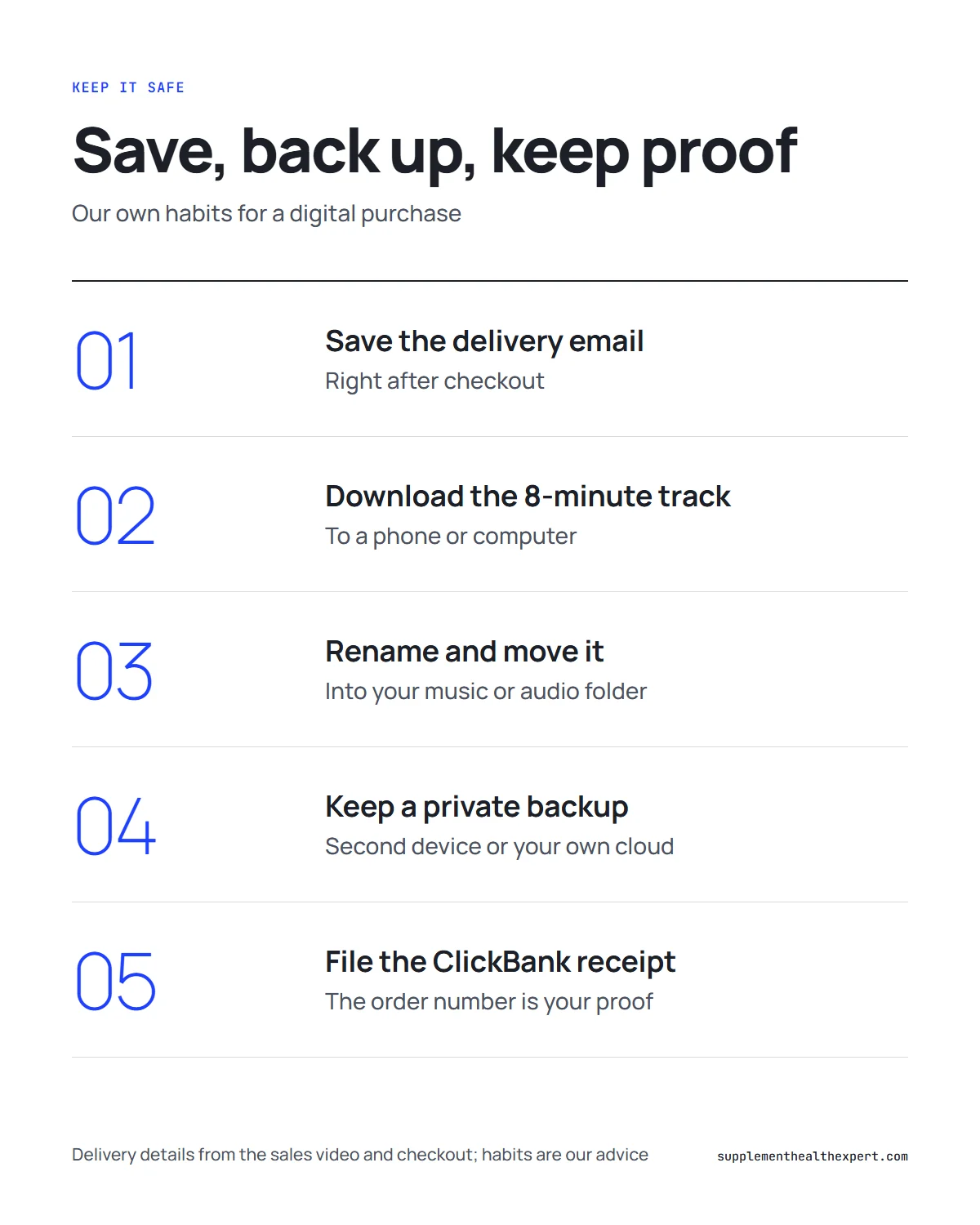
Backing it up, for your own use
Phones get lost and laptops fail. Because the product is just a file, a backup is cheap insurance. Keep a copy on a second device you own, or in your own private cloud storage. Keep the ClickBank receipt email somewhere you can find it, because the order number is what support will ask for.
Keep any backup private. A backup is for you, not for sharing. More on that below.
Listening offline and on different devices
After the track is on your device, playing it needs no internet connection at all. Any media player should open it, according to the seller. The suggested use is a daily 8-minute session with headphones in place and eyes shut, and the seller says skipping a day now and then is okay.
On a phone, use the built-in music or files app. On a computer, any media player will do. If you prefer to listen on a phone but downloaded on a computer, copy the file across. For a fuller walk-through of devices and playback, see our guide to downloading and playing the track without an app.
Two safety points from us, and they hold for any relaxation audio. Set a volume you could happily listen to for much longer than 8 minutes. And treat the car and any machinery as off-limits while it plays. Anyone with epilepsy, a past seizure or hearing difficulties should run it past a doctor first.
Personal use: what the licence means for sharing
The Terms of Sale are brief here. The $39, they say, buys “a copyrighted digital article for personal use”. In practice that means the copy is for you. Sending it to friends, posting it in a group chat or uploading it to a video or music site all fall outside that wording.
It also matters for your own protection. A copy someone passes to you is not an order, so it carries no receipt, no refund window and no support. If a family member wants to try the track, the clean way is for them to place their own order.
When the file is missing or will not open
Most problems fall into one of three groups. Work through them in order.
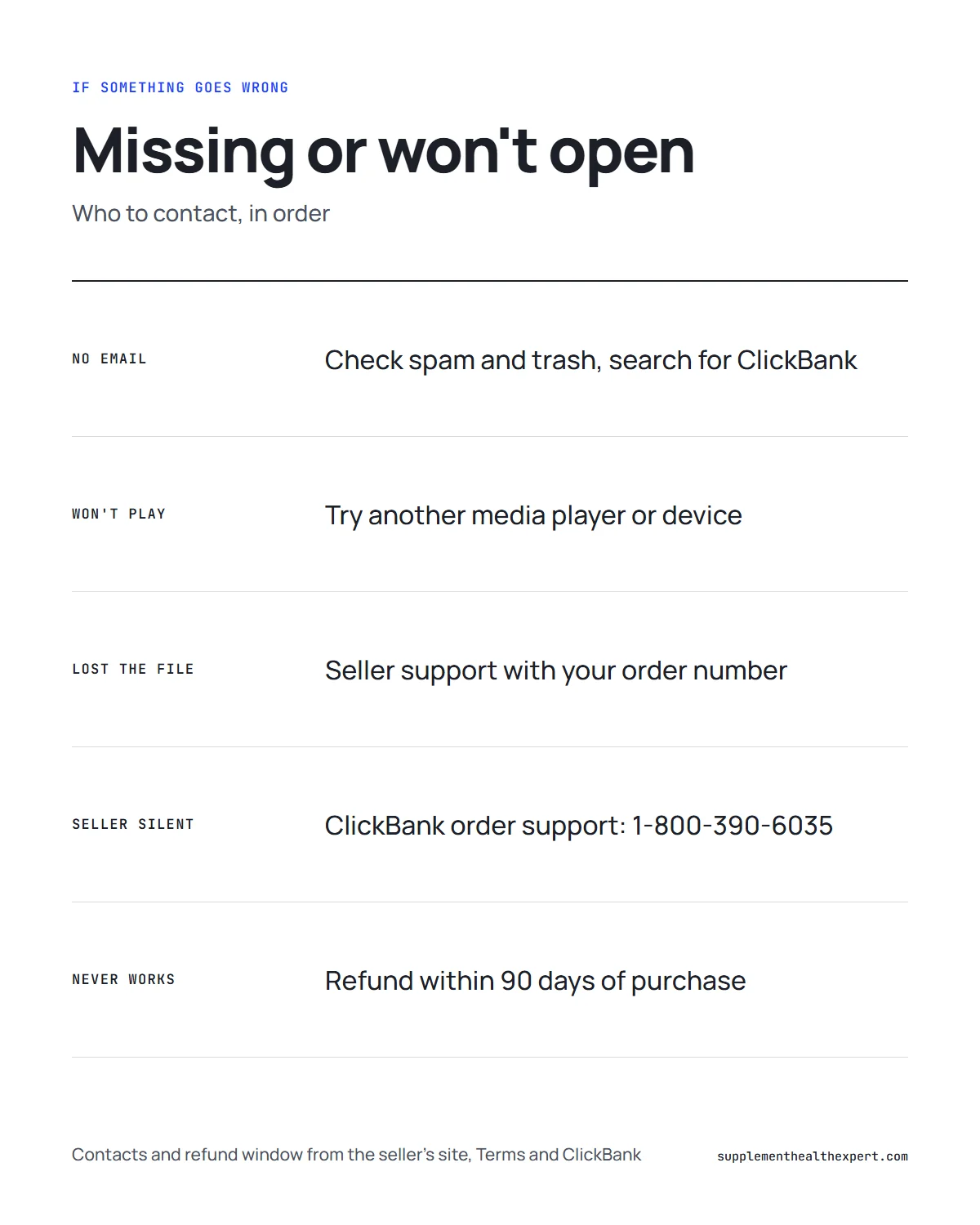
| Problem | First thing to try | If that fails |
|---|---|---|
| No delivery email | Check spam, promotions and trash; search for ClickBank | Write to the seller’s support with your order number |
| File will not play | Try another media player or device | Ask the seller for a fresh copy |
| File lost or deleted | Find the original email or your backup | Seller support, then ClickBank order support |
| Unsure the charge was this order | Look for CLKBANK*GeniusSwitch on your statement | ClickBank order support |
Seller support. Product questions go through the contact page or email address on the seller’s site, [email protected]. Include your ClickBank order number.
ClickBank order support. ClickBank handles the payment, so it can look up an order and help with billing or refunds. Its phone line is 1-800-390-6035.
Do not be confused by the marketing emails. They come from GeniusSwitchOfficial.com, which is the seller’s mailing domain, not a support desk.
Refunds if the file never works for you
The seller’s Terms put a 90-day limit on refunds for digital products, counted from the original purchase date, and ClickBank’s checkout page gives the identical window. On the sales page this appears as a “90-Day Money Back Guarantee (terms apply)”.
One page on the seller’s site may confuse you. Under /TOS/refunds/ sits a refund policy written for “NeuroActivate”, a bottled product, with a 60-day limit, a rule that bottles must be unopened and a postal address in Tallmadge, Ohio. Since there is no bottle here, ignore it; you will not be posting anything back. What governs this purchase is the Terms page plus ClickBank’s 90 days.
What the file does not come with
Keep expectations grounded. The file is an audio track, not a treatment. The site says it is “not intended to diagnose, treat, cure, or prevent any disease”, and the Terms place the products “for entertainment purposes only”. Everything the video says about memory, learning, luck or money is the seller talking. We are not aware of any published trial of this particular file.
Our take on the genius switch file
As digital purchases go, this one is simple: a single 8-minute track by email, playable in any media player, with a 90-day refund window. The few gaps, such as the unnamed format and the unclear packaging of the bonuses, are easy to manage if you save the email, back the file up for yourself and keep the ClickBank receipt. If something goes wrong, the seller is the first stop and ClickBank is the backstop.
Frequently asked questions
What file format is the track?
The seller's sales page, video, Terms and checkout do not name a format such as MP3. All they say is that the track runs 8 minutes, gets saved to your phone or computer and opens in an ordinary media player. When it arrives, your device will tell you the file type.
Should I keep a backup copy of the track?
We think it is sensible to keep a private backup for your own listening, for example on a second device or in your own cloud storage, along with the receipt email. The Terms describe a copy for personal use, so keep any backup to yourself.
The track will not play. What should I try first?
Check that the download finished, then try a different media player or a different device. If it still fails, write to the seller's support address with your order number and ask for a fresh copy. ClickBank order support can help if the seller does not respond.
I deleted the email with the track. How do I get it back?
Search your inbox, spam and trash for the ClickBank receipt, which holds your order number. Then contact the seller's support with that number. If you cannot find any record, ClickBank order support can look the order up.
Can I play the file through my car stereo?
Not while driving. Because the seller's routine has you shut your eyes and let go for the full 8 minutes, the car and any machinery are the wrong places for it. Listen at home with headphones at a comfortable volume.
Can I upload the file or send it to a friend?
The seller's Terms of Sale treat each purchase as a personal-use copy of copyrighted material. Uploading it or passing it on falls outside that. If someone else wants it, they need their own order.
Do the four bonuses come as separate files?
The video describes four bonuses: a guided visualisation, a grocery guide, a classic book on financial success and a printable habits infographic. The pages we read do not say how they are packaged, so check the delivery email and ask support if one is missing.
genius switch file · the genius switch · digital download · backup · clickbank