DIY & Home Projects/Where to buy
Where to Buy My Shed Plans: Safe Steps From Order to Login
Where to buy My Shed Plans safely: the genuine order page, the $37 total, what to check at ClickBank checkout and how to reach your first shed plan.
- $37, one payment
- 60-day refund
- DIY & Home Projects
By Supplement Health Expert Editorial Team · · 8 min read
- Refund window
- A 60-day money-back guarantee: contact the seller's support desk with your order details (the help desk is staffed 8am to 6pm Monday to Friday, per the seller; use the ticket forms, there is no phone line). Keep your confirmation email. ClickBank is the retailer, with order support at clkbank.com.
- Price
- $37 one payment
- Category
- DIY & Home Projects
- Our score
- 6.8/10 editorial
Key takeaways
- 01 Order from the button on this site, or type the seller's address, myshedplans.com, yourself.
- 02 ClickBank is the retailer, and the standard package should read $37 in one payment.
- 03 Access opens after checkout, and plans download as zip files of PDFs.
- 04 A 60-day money-back guarantee applies, requested through the seller's support desk.
Buying a plan library should feel simple, and it can be: one button, one checkout and a members area waiting at the end. This guide follows the whole path in order, from the first click to your first printed page, along with the small checks that keep you on the genuine page.
Step 1: Begin on a trusted route
Two entrances are safe. One is the order button on this site, which leads to the seller’s page through ClickBank. The other is typing the seller’s own domain, myshedplans.com, into your browser. That domain appears here as plain text and is not a link. If you ever land on a page by way of an unfamiliar ad or message, shut the tab and re-enter by one of those two routes.
Step 2: Read what the page says
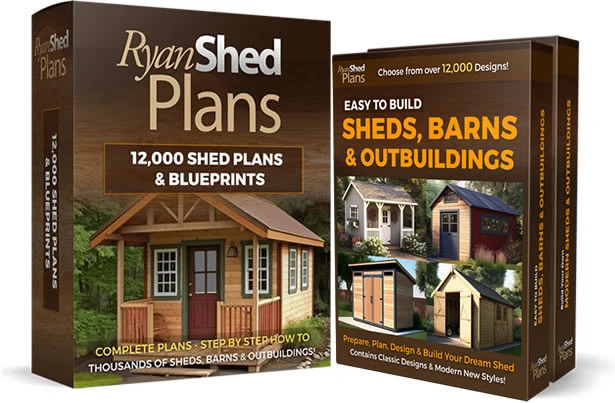
The genuine page describes a members-area library of shed plans. By the seller’s account, it holds about 12,000 designs with materials lists, cutting lists, instructions and 3D views, and it adds more every month. One package is listed, at $37 as a single payment. The seller adds four digital bonuses, and it states a money-back guarantee of 60 days.
Step 3: Look closely at the payment screen
Three details deserve a glance before you type any card number:
- Who sells it. ClickBank, named on the screen.
- What is in the basket. The one library described above.
- The amount. For the standard order, $37.
An optional DVD-ROM of the core plans, made for PCs, may be offered as a checkbox. Per the seller, delivery takes 12 to 18 working days, and we did not see its price, so ticking the box can change the total. A genuine checkout asks only for the details an order requires.
Step 4: File the confirmation email
Right after payment, a confirmation email lands in your inbox. Regard it as a receipt for a big appliance, and keep it. It carries your order details, and both refund and login questions begin there. While you are at it, bookmark the members area so you can walk back in without searching.
Step 5: Sign in and start downloading
Access is instant once the payment clears. Log in using the credentials from your confirmation, pick a design and download it. Each plan arrives inside a zip file of PDFs. The seller cautions that the files are large and slow to arrive, so begin on a steady connection and do something else while they come down. A single PDF may hold several blueprints, which is where the PDF search function earns its keep.
Install a free Adobe Acrobat Reader first if your computer lacks one.
Step 6: Read the whole plan before you shop
Open the plan you chose and read it end to end. Go through the shopping list and the cut list, then compare the footprint with the space you really have. If the size is off, two options exist: the Magic Modifications worksheet, a bonus for changing dimensions, and the request form for a custom plan. The seller says the team drafts one in 2 weeks or less.
When something goes wrong
Most order questions land in one of two groups. ClickBank, the retailer, handles anything about a payment, receipt or charge, and its order support lives at clkbank.com. Questions about plans, downloads or logging in go to the seller’s ticket forms, and the seller says its help desk answers 8am to 6pm on weekdays. There is no phone line, and no email address was printed on the pages we reviewed.
Asking for your money back
Orders include a 60-day money-back guarantee. Send your request through the seller’s help desk ticket form, quoting the details from your confirmation email, and hold on to that email until the matter closes. The price page explains the order total, and the FAQ answers the questions people tend to ask before ordering.
Setting up your computer
Ten minutes of setup make your first session easier. Check that you have free disk space for big zip files, install the reader and create a folder named for your shed project. Drop each plan in it, along with your shopping list and notes, so the whole kit sits together when you walk out to the workbench.
Your first hour
Once you are signed in, resist the urge to download everything. Pick one design, let its zip file arrive and open the PDF. Use the search box inside the PDF to jump to the sheet you want, read the instructions straight through and note any measurement that does not fit your yard. If something is unclear, write it down and check it against the 3D views. By the end of the hour you will know whether the library suits your project.
If the download stalls
Large zip files sometimes stall, and the seller itself warns they can be slow. If a download stops, check that your connection is stable, close other heavy downloads and start again. Keep the browser tab open until the file finishes. Should a file still refuse to open afterward, send the seller a ticket and describe what you see, since the help desk is the right place for file trouble.
Printing and paper
Plans are PDFs, so printing is up to you. Some builders print only the materials list and the cutting list, and keep the 3D views on a tablet for zooming. Others print everything and punch holes for a binder. Paper survives sawdust better than a screen, which is worth remembering if the shop is dusty.
Local rules come before lumber
Ordering settles nothing about your local rules. Check permits, size limits, setbacks and foundations with your building office before buying lumber, and phone 811 ahead of any footings. Wear eye and hearing protection, and follow every tool manual. No claim is made here that a shed from these plans satisfies a local code. The safety page has the full list, and the official website page lists the signs of a lookalike.
A short checklist
- Enter through the order button or the typed domain.
- Look for ClickBank and a $37 total.
- Save the confirmation email.
- Download on a steady connection and open the files with a free reader.
- Check your local rules before buying lumber.
My Shed Plans Official Pricing
As listed on the official store · confirm at checkout
My Shed Plans library
$37
One payment · digital delivery
- Members-area access to the shed plan library, instant after checkout
- Materials lists, cutting lists and step-by-step instructions, the seller says
- Four digital bonuses: tips, a modification worksheet, a supplier directory and more plans
- The seller lists one payment of $37
- 60-day money-back guarantee
One payment at checkout, with download or stream access after checkout. The checkout shows local currency and any tax, so the final amount can differ. Refunds: A 60-day money-back guarantee: contact the seller's support desk with your order details (the help desk is staffed 8am to 6pm Monday to Friday, per the seller; use the ticket forms, there is no phone line). Keep your confirmation email. ClickBank is the retailer, with order support at clkbank.com..
Frequently asked questions
Where can I buy My Shed Plans?
Use the order button on this site, or type the seller's own address, myshedplans.com, into your browser. ClickBank, the retailer, handles the payment.
What should the checkout show?
ClickBank as the retailer and a total of $37 for the standard package. An optional PC DVD-ROM may be offered too, and its price was not shown on the pages we reviewed.
How do I get my plans after paying?
Sign in to the members area using the details from your confirmation. Plans are zip files of PDFs, and a free Adobe Acrobat Reader opens them.
Who do I contact about an order problem?
ClickBank order support at clkbank.com deals with charges and receipts. Plans, files and login go to the seller's ticket forms.
Can I get a refund?
Yes, 60 days of money-back cover come with the order. Contact the seller's support desk and quote your order details.
where to buy my shed plans · buy my shed plans · my shed plans order · my shed plans checkout · my shed plans login · my shed plans clickbank