DIY & Home Projects/Where to buy
Where to Buy Smart Water Box: The Official Order Page
Where to buy Smart Water Box: order only through the official order page with ClickBank checkout, check the price and format there, then follow these steps.
- Price on the official order page
- 60-day refund
- DIY & Home Projects
By Supplement Health Expert Editorial Team · · 7 min read
- Refund window
- A 60-day money-back guarantee. Email [email protected] and ask for a full refund. The seller says refunds post within 3 to 5 business days. Keep your confirmation email. ClickBank is the retailer.
- Price
- See order page current price
- Category
- DIY & Home Projects
- Our score
- 5.2/10 editorial
Key takeaways
- 01 Order only through the official order page, where ClickBank handles the checkout as the retailer.
- 02 The price and the format are on the order page, because the seller's main page shows neither.
- 03 Marketplaces and file-sharing sites are not the seller's channel, and copies there may have no refund route.
Ordering Smart Water Box takes only a few clicks, yet the details count. The sound route is the official order page, run through ClickBank, where price, format and refund terms sit together. Below are the route itself, the checks worth running and the click sequence that ends with a receipt.
Order only through the official page
We point readers to one ordering route only: the official page. It is reached from the seller’s website at watersmartbox.com or from the button on this page, and it hands you to ClickBank for the checkout. ClickBank is the retailer the seller names.
Skip marketplaces and file-sharing sites, because the seller does not sell through them and a copy there could lack a refund route. When a page requests card details yet names some other retailer, close it and restart from the official page.
Confirm cost and format first
Neither a price nor a format appears on the front page, so both need confirming on the order page. Read the product name, the total and the format line. See whether billing repeats, and delete any add-on you did not pick.
These checks take a few minutes. They tell you what you are buying, what you will be charged and what arrives after payment clears, which is more than the main page tells you.
Steps to order
- Start from the official order page, using the button on this page or the seller’s own website.
- Go through the product name, total and format line shown on the order page.
- Look for the charge type, and confirm it is the one you expect.
- Complete the ClickBank checkout, and read each line before you confirm.
- Look out for the ClickBank confirmation email carrying your order number.
- Store the receipt and the order number where a search will find them later.
When no confirmation shows up quickly, search your spam folder before ordering a second time. A repeat order may mean a repeat charge, so a single order suffices.
What to have ready
Have your payment method to hand before you start, along with a note of the total you saw on the order page. A notepad or a text file for the order number saves a search later. Close any other tabs that show different figures, so you never compare a number from one page with the total on another.
If you prefer a paper record, print the order page before you start. A printed copy of the total and the format line is useful if a question arises weeks later.
What the statement may show
A ClickBank line can stand in for the seller’s name on your card statement. Match it against the confirmation email; when the two agree, the charge is the one you authorised. When they do not, reread the email before you contact your bank.
Keep the confirmation with your bank record. Together the two make any later question quick to answer.
Before you click the final button
Pause on the last checkout screen and read it as though someone else had written it. Does the product name match? Does the sum match the order page? Are there rows you do not recognise? A quiet minute here costs nothing, while a hurried click can leave you with an add-on to unwind afterwards.
Have the support address, [email protected], copied into a note as well. If anything looks odd on the confirmation, you can write at once instead of hunting for the address later.
Refunds and the guarantee
Sixty days is the span of the seller’s guarantee. Send your written request to [email protected] with the order number and the amount you want returned. The seller names a window of three to five business days, and a bank can add a few days on its side.
Do not start a bank dispute while your refund request is still open. If the seller does not reply, write to ClickBank order support and keep copies of every message you send.
Water, electricity and local rules
Buying the guide is where the work starts, not where it ends. Whatever the device collects has to be treated or tested before a sip is taken, and the volume follows humidity and temperature. Electrical and cooling parts risk fire and shock, and certain house changes could break local law.
Ahead of any parts purchase, put a question to your local authority about permits for your address and line up qualified help for electrical stages. That effort weighs little against the price of a fault.
Where the order goes after you click
Once you click through, the page you land on hands you to a ClickBank checkout. That checkout carries its own name and its own order support, which is reachable through the ClickBank website. It asks for the usual payment details, and nothing about that handover should be rushed.
If a screen asks for details the order does not need, or pushes an add-on you never chose, close the screen and restart from the official page. Calm, step-by-step progress is the goal.
Why one order is enough
Repeat clicks can clutter the order history, and a second payment is the last thing you want to explain later. One order, one confirmation email and one order number keep the record tidy. If you are unsure whether a payment went through, check your email and your bank before you try again.
Common questions before you order
To sum up the chain: watersmartbox.com leads to the order page, and that page leads to ClickBank. Whether anything is posted to you is left unsaid up front, so the order page has to answer it. Read its format line prior to paying.
If an answer is still missing after you have checked the order page, email the seller with your question and keep the written reply. A written answer is the best record you can keep.
Pages that help
Smart Water Box Official Pricing
As listed on the official store · confirm at checkout
Smart Water Box guide
See the order page
Current price · digital delivery
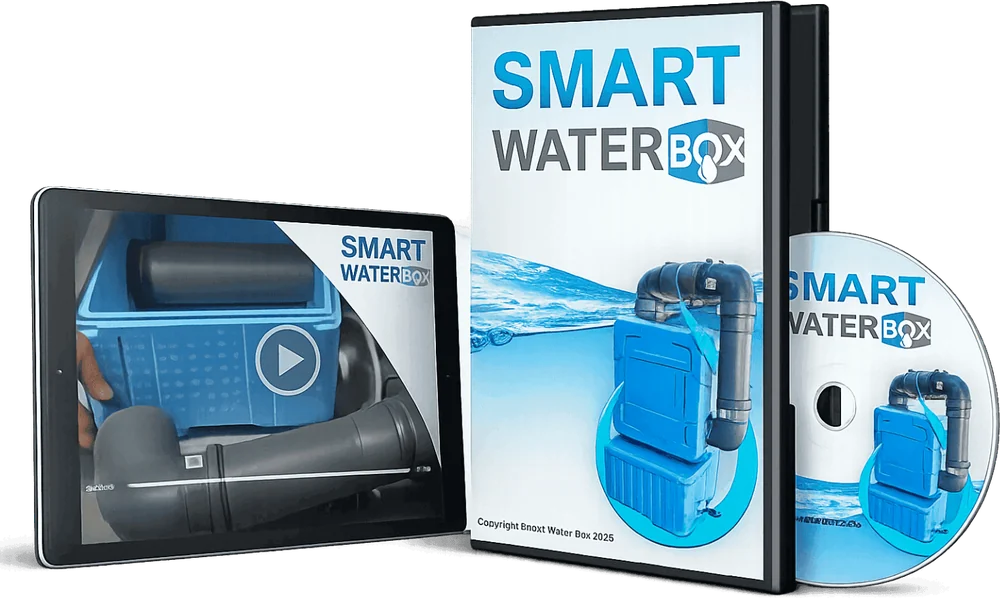
- A step-by-step guide, as the seller describes it, for a small box that collects water from humid air
- Support by email at [email protected], according to the seller
- A 60-day money-back guarantee, requested by email to the seller
- The price is on the official order page, where the checkout states the total
The seller's current price is shown on the official order page, and the checkout shows local currency and any tax. Refunds: A 60-day money-back guarantee. Email [email protected] and ask for a full refund. The seller says refunds post within 3 to 5 business days. Keep your confirmation email. ClickBank is the retailer..
Frequently asked questions
Where should I order Smart Water Box?
Use the official order page, linked from watersmartbox.com and from the buttons on this site. ClickBank is the named retailer and runs the checkout. That checkout fixes the total, so look at it before you submit payment.
Is a marketplace listing an option?
Sales run through the seller's own order page, and we have not confirmed any marketplace listing. A copy found elsewhere might carry no refund route, so steer clear.
Who actually sells it?
ClickBank, according to the seller. Its order support can field checkout questions, and its confirmation email doubles as your receipt.
What happens once I have paid?
Expect a confirmation email, recheck the format line from the order page and file the confirmation alongside your order number. Should the email be slow, look in spam, then contact the seller.
where to buy Smart Water Box · Smart Water Box order · Smart Water Box ClickBank · buy Smart Water Box guide · Smart Water Box order page