DIY & Home Projects / Guide
Smart Water Box official website: find the real order page
Smart Water Box official website: how to reach the genuine order page, what it shows, which lookalikes to avoid and how the 60-day money-back guarantee works.
- Author
- Supplement Health Expert Editorial Team
- Updated
- Reading time
- 8 min
- Sources
- 0 cited
Key takeaways
- 01 The seller's own site is watersmartbox.com, the address to type in yourself before ordering.
- 02 The total and the format are not on the main page; they appear on the order page, where ClickBank runs checkout.
- 03 Copycat pages imitate official ones, so compare each address and product name before entering details.
Only one address deserves your card details for this guide: the Smart Water Box official website. Locating it takes under a minute once you know which features to check. A reader hunting for the genuine order page has a single task, which is to reach the seller’s own site, confirm what it displays and then move through the checkout with the total in front of you. The walkthrough below follows that route and ends with the order link, so you can view the checkout yourself.
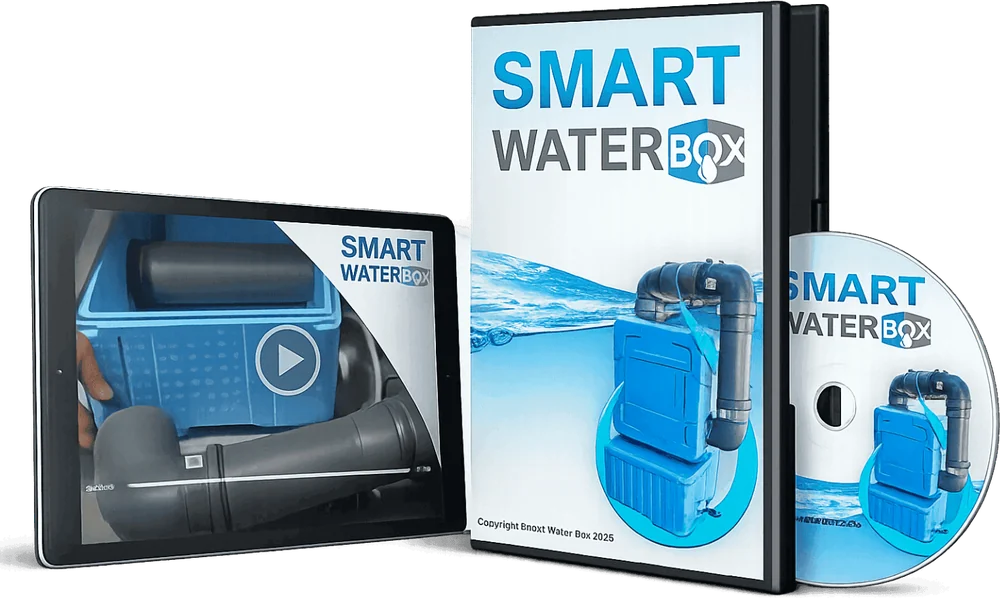
Smart Water Box official website: reaching the order page
The seller’s own site is watersmartbox.com. Type that address into your browser yourself instead of clicking a link in an unexpected email or advert. After the page loads, confirm the address still reads watersmartbox.com before you read on.
The main page holds the seller’s pitch, an intro video and buttons that lead into the ClickBank checkout. It displays no price, so do not expect a figure there. The refund page and the disclaimer also live on the same site, and both deserve a read before you order.
What the genuine order page shows
A genuine seller page names the guide, sets out the refund route and provides a support address, which is [email protected]. The refund page describes a 60-day money-back guarantee with requests made by email. Checkout runs through ClickBank, the retailer the seller names, so ClickBank should be the name you meet when you reach the payment stage.
The main page does not state the guide’s format or contents. That leaves the order page, and the checkout beyond it, as the place to find the format line and the total.
Lookalike pages to avoid
Copycat pages reproduce the appearance of an official page, swap a character in the address or route you to a different seller. Be cautious of any page that requests payment outside the checkout, fails to name a retailer or shows a different product name. Check the address against watersmartbox.com every time you arrive.
Old bookmarks and search listings deserve the same suspicion. An outdated link may lead somewhere you never meant to go, so type the address when you order and verify it again before entering details.
Guarantee and support
Refund requests go through email. Ask [email protected] for a complete refund; the seller notes the amount can take three to five business days to show. The guarantee is a 60-day money-back guarantee, and ClickBank is the retailer. Keep the confirmation email with its order details, since a refund request points back to them. Make the request in plain words, quote the order number from that email and retain your sent message. A tidy record speeds up any follow-up for both you and the seller.
Filing that email in one place also speeds up support. If the seller goes quiet, you already have the order number and the retailer’s name, which are the details ClickBank order support will ask for.
Water and electrical safety
Wiring and cooling components can cause fire or shock, and fuel-burning equipment belongs in an outdoor, well-ventilated space. Our safety page lays out those checks in greater detail.
Our verdict
Reaching the genuine order page is straightforward once you type the address yourself and check the details. The seller’s site supplies a support email, a refund route and a clear 60-day money-back guarantee, and ClickBank runs the checkout. The site does not demonstrate the device working, and in the seller’s own wording the unit is an experiment, so keep your expectations measured.
On the order page, read the format line and the total; then look over the Smart Water Box hub before purchasing any components. If the offer suits your plans, the official order page is where to complete the purchase.
Why the address matters
The address is the first safeguard you hold. A seller’s site is located by its address, and an address can be copied with a small alteration. That is why we keep returning to the same plain form, watersmartbox.com, and why we ask you to type it yourself. An old bookmark or a link in an odd message can take you to a page you never intended to reach, and a misplaced click can send a payment to the wrong destination.
What to expect after you click through
Choosing the order button on the seller’s site opens a checkout run by ClickBank. Read the product name and the total on that screen, then complete only the fields you understand. Once the order goes through, the ClickBank confirmation email is your record of what you bought, what you paid and the order number. Keep it somewhere you can locate quickly, and hold on to it until you have finished reviewing the guide.
Questions to put to the seller in writing
Settling questions before you order is wise, and the support address makes that straightforward. A short, clear email can ask which format the guide comes in, what its contents cover and which permits a local authority might require. Request the answers in writing, file the reply with your records and compare it with the order page before paying. A written answer is handy later because you can point back to it.
If the page looks different
Pages get revised, and a page that differs from the description on this site is not automatically a warning sign. What counts is the address, the retailer named at checkout, the product name and the total. If one of those fails to match, pause and compare again. If the mismatch persists, email [email protected], describe what you see and wait for a reply before entering any payment details.
Why this page links to the order
We include the order link so you can see the checkout for yourself. The link does not alter the price or the product, and it does not take the place of your own checks. Compare the product name, total and format line on the order page with what this page describes before going further. If anything differs, stop and check again.
Our notes on this page
Our notes reflect the seller’s public pages as they stood on November 24, 2026. We stayed away from the checkout, so we entered no details and copied no total. We have not read the guide, which means nothing here describes its contents. Re-check the order page before paying, because pages change.
Keep reading
- Smart Water Box review: our score, with the reasoning behind it
- Is Smart Water Box legit: which parties are involved and where refunds go
- Smart Water Box price: how the figure is presented at checkout
- Smart Water Box hub: the summary page for the whole offer
Frequently asked questions
What is the official Smart Water Box website?
The seller's own site is watersmartbox.com. Enter the address yourself, and check it again once the page has loaded.
Does the official site show the price?
Not on the main page, which lists no amount. You find the total at the checkout stage of the order page, so read it there before paying.
Who processes the payment?
The seller sends the sale through ClickBank, which runs the checkout. ClickBank's confirmation email holds the order details.
How do I ask for a refund?
Message [email protected] and ask for the full amount back while the 60-day money-back guarantee applies. The seller states a posting time of three to five business days.
How can I spot a copycat page?
Watch for a different address, a missing retailer name, a different product name or a request to pay outside the checkout. Any one of those is a cue to stop and type the official address.
Smart Water Box official website · Smart Water Box official site · watersmartbox.com · Smart Water Box order page · Smart Water Box genuine site · Smart Water Box lookalike