DIY & Home Projects / Guide
Smart Water Box price: see the amount on the official order page
Smart Water Box price: the main page shows no amount, so here is what to check on the official order page, including the total, charge type and refunds.
- Author
- Supplement Health Expert Editorial Team
- Updated
- Reading time
- 8 min
- Sources
- 0 cited
Key takeaways
- 01 No amount appears on the main page, so the figure has to be read on the official order page.
- 02 Confirm the total, the charge type and the format on the order page before entering any payment details.
- 03 Parts, tools, permits and electrician fees fall outside the guide, and the seller's pages list none of them.
Searching for the Smart Water Box price is a sound move before any purchase. The short answer is that the seller’s main page shows no amount. The number lives on the official order page, and the checkout displays the total. This guide lays out what to check there and in what sequence, so that the sum you pay matches the sum you accepted.
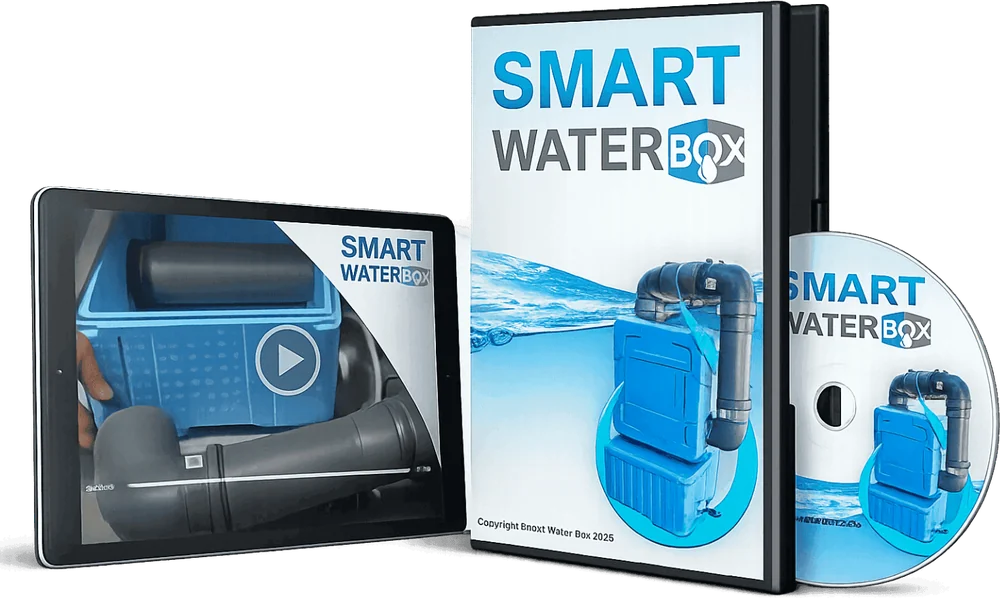
Smart Water Box price: where the amount appears
We quote no figure here, and the reason is practical. The main page shows no amount, and separate seller pages may not agree with one another. A number typed from memory might be stale by the time you read it, so we send you to the page that carries the live total.
The checkout has the last word. Whatever it displays when you are about to pay is the sum that counts. Any number you see elsewhere, this page included, only indicates what to expect and must never replace the total on the screen where you pay.
What to check on the order page
Start by checking that the product name says Smart Water Box. Next, locate the total and read it in full. Then find the charge type, which indicates whether the amount is a set charge or a recurring one. Finally, look for the format line; the main page is silent on digital versus physical delivery.
Each of those checks takes a minute. Taken together, they reveal what you are buying, how the charge is structured and what reaches you once payment clears.
Charge type and the checkout total
ClickBank is the retailer and runs the checkout. A ClickBank entry may show on your card statement instead of the seller’s name, so file the confirmation beside your bank record. If the statement entry and the confirmation do not match, reread the email before you call your bank.
Go through every line the checkout adds. Any extra item or upgrade is a separate choice, so strip out anything you did not pick before you confirm. The figure on the final checkout screen is the one to set against this page.
If the checkout total is different from what the order page showed a moment before, close the checkout and restart from the official order page. A shifted total is a cue to slow down, not a cue to pay faster.
What the price does not cover
The amount on the order page pays for the guide, as the seller describes it. It leaves out parts, tools, materials, permits, inspections and any electrician’s fees. Build costs appear nowhere on the seller’s pages, and we decline to guess at them.
Put a separate budget aside for the work. Ask local suppliers for parts prices, and request a quote from a licensed electrician for any electrical stage. Those numbers hinge on your region and your design, which is why you have to collect them yourself.
Look at the total as a share of the whole project. The guide is one line in your planning, while parts, tools and inspection fees are the others, and they can move the overall picture far more than the guide does. Note them down before ordering, so the order-page figure takes its proper place.
The refund route
Refunds run on a 60-day money-back guarantee. Send a message to [email protected] asking for the full amount back; the seller’s stated window for that money is three to five business days. Your bank may take extra days before the credit shows.
Keep the confirmation email, because it carries the order details a refund request needs. ClickBank is the retailer, and ClickBank order support is available if the seller does not answer.
Who the price suits
A reader who values a structured plan, checks the order page before paying and calls in a professional for wiring is who this figure fits. Someone hoping for a completed unit, components or coaching is not the target here, since each of those is a different purchase with different costs.
Anyone wanting a written plan ahead of buying components can look at the total as its own line item. What matters is whether the guide, described the way the seller describes it, justifies the figure shown at the order page for a reader who studies it closely and verifies local requirements.
A short checklist before you pay
- Confirm the product name on the order page reads Smart Water Box.
- Read the entire total and compare it with the number you were shown earlier.
- Note the charge type and check that it fits what you expect.
- Locate the format line and log if the product is a file or a physical package.
- Remove any extra item you did not choose.
- Save the receipt and the order reference before closing the tab.
Our verdict
The price is set on the official order page, and that is the only place to confirm it. Read the total, the charge type and the format line, then weigh the guide against that figure. Our price page carries the same checklist in full, and the Smart Water Box hub gives the overview.
Reading the checkout without rushing
Checkout pages are built to keep you moving, which is fine, but it is also the moment to slow down. Spend a few minutes on each screen rather than clicking through the default options. If a box has been pre-ticked, read what it adds before leaving it in place. If a field asks for details you do not recognise, stop and find out what it is for before typing anything.
Keep the checkout in a single browser window, avoid flipping between tabs that show different totals and note the final figure before you confirm. That short note becomes the reference you compare with your confirmation email. If the two differ, you have a clear record to take to ClickBank order support or to the seller.
Pay only through the checkout
Payment should go through the checkout that the official order page opens. Be wary of any request to send money by another route, such as a transfer to a personal account, a message from someone claiming to work for the seller or a payment link that arrives unannounced. The seller names ClickBank as the retailer, so a payment request that bypasses the checkout is a reason to stop and revisit the official site before going further.
How to read figures you find elsewhere
You may run into figures on other websites, in videos or in older posts. Treat them as leads, not facts. The order page displays the figure that applies on the day you visit, and the checkout total is the one you approve. If a number from somewhere else does not match, follow the order page and the checkout, and send the seller a written question if the gap persists.
Keep reading
- Smart Water Box review: our scored verdict, with the reasons behind it
- Smart Water Box official website: the route to the real checkout
- Smart Water Box complaints: concerns worth checking first
- Smart Water Box hub: the start page for the offer
Frequently asked questions
How much is Smart Water Box?
The main page displays no amount. The figure is on the official order page, and the checkout shows the final total, including any local currency or tax. Read that total before you pay.
Is the charge a set amount or a recurring one?
The charge type is printed on the order page. The main page never describes it, so wait until you have read the order page before assuming either.
Why might the figures differ between pages?
Separate seller pages can display separate numbers, so the order page and the checkout total are the ones that count. If they disagree, email the seller before paying and keep the reply.
What is not included in the price?
Anything beyond the guide itself: parts, tools, materials, permits, inspections and electrician fees. No build costs are listed on the seller's pages, so budget for them separately.
Can I get a refund after I pay?
Yes. The seller's 60-day money-back guarantee covers it: email [email protected] and ask for a full refund, and keep the confirmation email, which carries the order details.
Smart Water Box price · how much is Smart Water Box · Smart Water Box cost · Smart Water Box checkout · Smart Water Box total · Smart Water Box refund