DIY & Home Projects/Where to buy
Where to Buy Energy Revolution System: Official Order Page
Where to buy Energy Revolution System: order only through the official order page run by ClickBank, the $39 price, the steps to follow and the refund route.
- $39, one payment
- 60-day refund
- DIY & Home Projects
By Supplement Health Expert Editorial Team · · 7 min read
- Refund window
- A 60-day money-back guarantee. Email [email protected] with your full name, your order number and the subject Refund Request. Keep your confirmation email. ClickBank is the retailer.
- Price
- $39 one payment
- Category
- DIY & Home Projects
- Our score
- 5.4/10 editorial
Key takeaways
- 01 Order only through the official order page, which the seller runs with ClickBank as the retailer.
- 02 The guide costs $39 in one payment, and the download link arrives by email after checkout.
- 03 Marketplaces and file-sharing sites are not the seller's channel, and they offer no refund route from the seller.
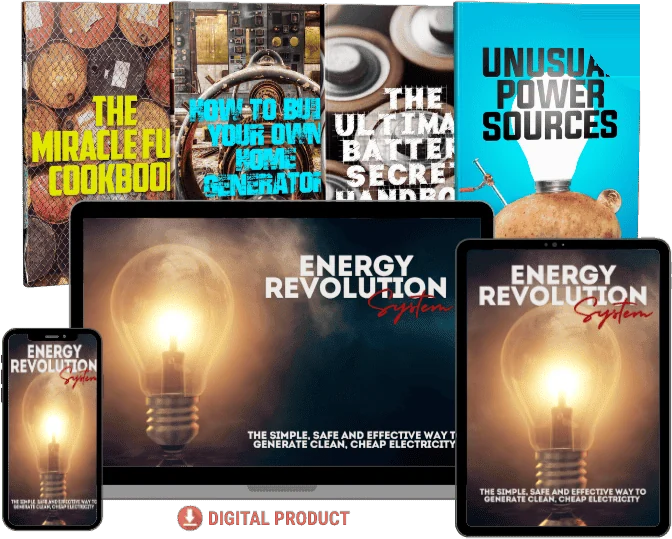
Energy Revolution System has one genuine order route: the official order page, which runs through ClickBank. This page explains why that route matters, how to reach it, what to check on the checkout page and what happens after you pay. Following these steps keeps your receipt, your download and your refund route in one place.
Buy only through the official order page
The seller’s website is theenergyrevolution.net, and its buy button leads to a ClickBank checkout. That checkout is the route to use. It carries the seller’s refund terms, the ClickBank receipt and the contact route for refund requests. An order placed anywhere else may not bring those things with it.
We do not list marketplace sellers, resale pages or file-sharing sites as a route for this product, because we cannot confirm them. Should a copy appear elsewhere, compare it with the seller’s own site before you pay anything.
Why the channel matters
The order route settles three things: who takes your money, who answers a refund request and where the files come from. On the official route, ClickBank takes the payment, the seller answers refund requests by email, and the download link arrives in the ClickBank confirmation. Those three links are what make the guarantee work as the seller describes it.
A copy sold somewhere else may break one or more of those links. You could pay a seller you cannot contact, receive a file with no refund route, or find that the download is not the genuine guide. Those are the reasons to stay on the official route, even when a different page looks similar.
Step by step
- Use one of our buttons, or type the seller’s address yourself and follow its order button.
- Check the product name. It should read Energy Revolution System, as a digital PDF guide.
- Check the total. It should show $39 in one payment, with no subscription line.
- Check the retailer. It should be ClickBank.
- Complete the payment through the ClickBank checkout.
- Keep the confirmation email, open the download link in it and store the PDF.
Each step has a purpose. The first two confirm that you are on the right product. The third and fourth confirm the price and the retailer. The last two give you the file and the receipt that the refund route depends on.
Retailer, receipt and support
ClickBank is the retailer for this product. The confirmation message doubles as your receipt and shows the order number a refund request needs. Save that email as a PDF or a screenshot in addition to the inbox copy, so you can find it again later.
If the transaction itself fails, ClickBank’s order support at clkbank.com is the place to turn. For questions about the guide, its contents or a refund, write to the seller at [email protected] and quote your order number.
After you pay
The download link arrives in the ClickBank confirmation email. Open it, save the PDF to a folder on your device and confirm the file opens in your PDF reader. If the message is late, check your spam folder first, since placing a second order would bill you again.
If the file will not open, check the reader first. Then write to the seller and quote the order number and the device in use. Keep a record of each message, because that record supports any refund request you later make.
The refund route
The money-back guarantee is 60 days in the seller’s own wording. A refund request goes to [email protected]. Put your full name and order number in the message, and use Refund Request as the subject. Requests are handled within 48 hours, per the seller, and banks take three to five business days to show the credit.
Please leave bank disputes alone while the request is open. Once a refund is processed, access to the files is removed, according to the seller. Requests outside the standard terms are not routine, though the seller says it reviews unusual cases.
Practical points to settle first
Confirm that the device you plan to use can open a PDF. Check that you understand the guide is digital and that nothing is shipped to you. Read the safety page so you know the fire, shock and local rule points that apply to home power work. None of those steps takes long, and each one prevents a common misunderstanding after the purchase.
It also helps to settle, before you open the checkout, where the guide will be stored and who in your household should be able to find the files. A download that sits in one inbox, on one device, is likely to go missing. A copy in a labelled folder, with the receipt beside it, avoids that problem.
Note the date you placed the order in your records as well, so the record survives even if an email goes missing.
Questions to put in writing
If anything about the product is unclear, put the question to the seller in writing before you order. The seller’s contact details are on its site, and an email leaves a record you can refer back to. Questions about the contents, the materials list or the bonus titles are the best ones to send, because the seller’s pages do not answer them.
Keep the reply with your order documents. If the answer differs from what you later find in the guide, that record shows what you were told at the time.
Energy Revolution System Official Pricing
As listed on the official store · confirm at checkout
Energy Revolution System digital PDF guide
$39
One payment · digital delivery
- A digital PDF guide, with a quick-start guide and a materials list, as the seller describes them
- Works on PC, Mac, tablet or phone, with a PDF reader installed
- $39 in one payment, with no subscription, according to the seller
- A download link by email after checkout; nothing ships
- 60-day money-back guarantee, requested by email to the seller
One payment at checkout, with download or stream access after checkout. The checkout shows local currency and any tax, so the final amount can differ. Refunds: A 60-day money-back guarantee. Email [email protected] with your full name, your order number and the subject Refund Request. Keep your confirmation email. ClickBank is the retailer..
Frequently asked questions
Where is the best place to buy Energy Revolution System?
The official order page, reached from the seller's site or from our buttons. ClickBank handles the checkout and is named as the retailer. The checkout sets the total, so check it before you submit payment.
Can I buy it on a marketplace?
The seller sells through its own order page, so we cannot confirm any marketplace listing. Copies offered elsewhere may come with no refund route from the seller, so avoid them.
Who is the retailer?
ClickBank. The seller names ClickBank as the retailer, and order support questions can go to clkbank.com. Keep the ClickBank confirmation email as your receipt.
What do I do after I order?
Watch for the confirmation email, open the download link in it and store the PDF. If the email does not arrive promptly, check your spam folder, then contact the seller.
where to buy Energy Revolution System · Energy Revolution System order · Energy Revolution System ClickBank · buy Energy Revolution System PDF · Energy Revolution System order page