DIY & Home Projects / Guide
Smart Water Box Money Back Guarantee: 60 Days and How to Ask
Smart Water Box money back guarantee: the 60-day window, the email route for a refund, the records to keep and the timing the seller gives for the money.
- Author
- Supplement Health Expert Editorial Team
- Updated
- Reading time
- 7 min
- Sources
- 0 cited
Key takeaways
- 01 The seller offers a 60-day money-back guarantee, with refund requests sent by email to [email protected].
- 02 Refunds are said to post within 3 to 5 business days, so keep the ClickBank confirmation email and a copy of your request.
- 03 ClickBank is the retailer, and its confirmation email is the record to hold on to.
- 04 The guarantee applies to the purchase only; local rules and electrical safety still govern any build.
A money-back guarantee changes how an order feels. Before you hand over any details, you want reassurance that a clear route exists should the guide fall short of what you hoped. The 60-day money-back guarantee comes with a clear route: email [email protected] and request that the whole sum be returned. This article explains the guarantee in practical terms, so you can place an order with the steps already mapped out.
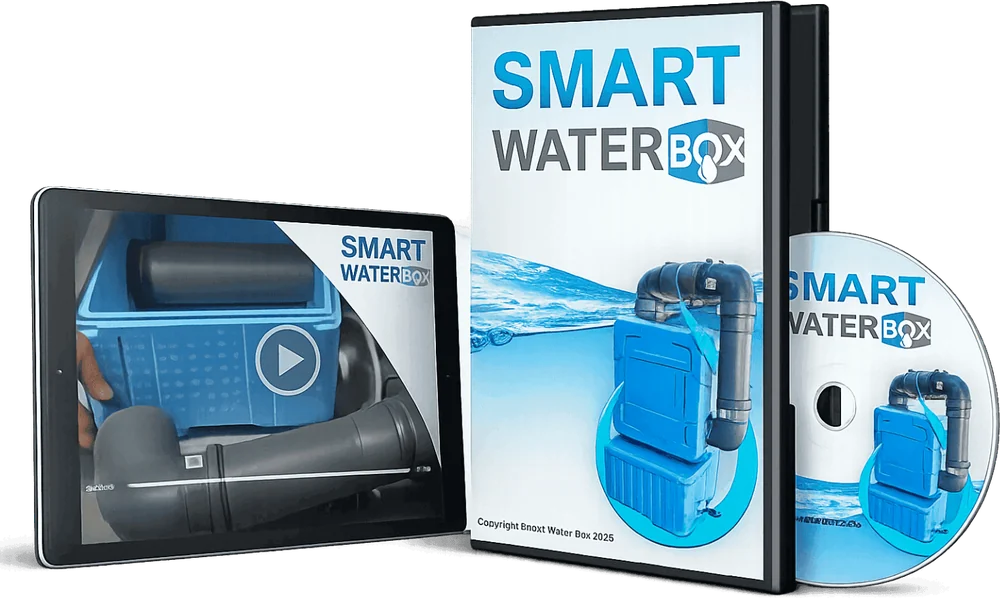
Smart Water Box money back guarantee, in brief
A 60-day money-back guarantee is the headline term, covering the purchase of the guide. Refund requests are made by email, and the seller states that money returns within 3 to 5 business days. ClickBank is the retailer, so the confirmation email from that checkout is the document to file.
We add no conditions of our own. The seller’s refund page and your confirmation email carry the precise wording, so read them directly before relying on any summary, this one included.
How to ask for your refund
Make the request in four steps, in this sequence:
- Find the ClickBank confirmation email from your order and have it open.
- Send a message to [email protected].
- State that you want the complete refund under the 60-day guarantee, and cite the order details from the confirmation email.
- Watch for the seller’s reply, and allow the seller’s stated three to five business days for the credit.
Save a copy of the message you send. It serves as your record of the request and shows the date you made it.
Why the confirmation email matters
The sale runs through ClickBank, and the message it sends after checkout is the order record. Keep a copy in a folder you check regularly, and do not discard it once the guide arrives. A short paper trail protects the purchase, whatever the seller’s reply looks like. Save the confirmation email in more than one location, such as your inbox and a file on your own computer, so one lost account does not erase the record.
If you ever need help with the charge itself, ClickBank order support handles the order as retailer. Keep that channel separate from the seller’s refund email, so you always know which party you are addressing.
What the seller says about timing
Per the seller, a refund arrives in three to five business days. Hold on to the seller’s reply until the credit shows.
If timing matters to your plans, ask [email protected] for the current wording before you order. A written answer gives you a dependable reference later.
How the guarantee fits a DIY plan
A DIY plan moves through stages: reading, planning, checking local rules, sourcing parts and, eventually, any build. The guarantee sits at the entrance to that path, before you commit to anything beyond the guide. It provides a written route for the guide itself, so you can study the plan with the refund steps in view. It does not replace the stages that follow, and it does not make a build any less demanding. Give those later stages the same care you give the order.
A checklist before you order
Before paying, confirm four things against this article:
- The product title at checkout is Smart Water Box.
- The amount due at checkout matches what you were shown, and you have read it in full.
- The seller’s support address, [email protected], is recorded correctly in your notes.
- You have a folder ready for the ClickBank confirmation email and any reply from the seller.
If one of those four fails to line up, pause and ask the seller before entering your details.
What to keep, and where
Begin with the ClickBank confirmation email as your primary record. Then add the refund email you send, the seller’s reply and the statement line once the refund posts. Keep the set together in one folder, and do not delete any part of it until the matter is fully closed. A complete set shows the order, the request and the outcome in one place, which is what a clear refund route depends on.
What the guarantee does not change
The guarantee covers the purchase. It leaves the build itself untouched, along with the local rules at your address and the need for qualified help on any electrical stage. It also does not control how quickly a bank or card company shows a credit, since that sits outside the seller’s process. Keep those points separate in your planning, and regard the guarantee as one part of a careful order rather than the whole of it.
Questions to settle with the seller
If anything about the guarantee is unclear, ask before ordering. Useful questions include whether the seller’s reply will confirm a refund in writing, how the seller would like the order details quoted and where a refund request should go if the first email goes unanswered. Write the answers down and treat them as the working terms you rely on.
Who the guarantee suits
The guarantee suits a careful DIY reader who wants a defined exit while checking the plan. The right reader checks the order page for the format and the price before paying and treats the refund route as a backstop, not a substitute.
It is a weaker reason to order for anyone wanting a finished device or hands-on coaching during a build. The guarantee covers the purchase rather than the build, so set your expectations about the guide itself before you pay.
Our verdict on the guarantee
We give Smart Water Box an editorial mark of 5.2 out of 10, set by us. The refund pledge is among the more legible parts of the offer; our guarantee criterion gives it 6.8 out of 10 because the steps are in writing. The remainder of the rating mirrors how little about the guide itself the public pages expose.
A hobbyist who wants a single written plan, confirms format and total before paying and checks local rules ahead of any build is the natural fit for this product. The Smart Water Box hub holds the overview and the order steps.
Keep reading
- Smart Water Box refund policy: the refund request, step by step
- Is Smart Water Box legit: whether the seller can be reached
- Smart Water Box price: the total and where it shows
- Smart Water Box hub: the overview page
Frequently asked questions
What is the Smart Water Box money back guarantee?
It is the seller's 60-day promise of your money back. The claim is made by email to [email protected], and the seller gives three to five business days for the refund to appear.
How do I ask for the refund?
Email [email protected], claim the whole sum under the guarantee and paste in the order details from your ClickBank confirmation email.
Do I need the confirmation email?
Yes. ClickBank is the retailer, and its confirmation email records the purchase. Keep it, because the refund request refers back to it.
Does the guarantee change the safety rules?
It does not. Water coming from a home device needs a treatment or testing stage before it is consumed, and how much it yields depends on humidity and temperature. A refund route is no replacement for your own checks of the format, the total and your local rules.
smart water box money back guarantee · Smart Water Box guarantee · Smart Water Box refund · 60 day money back guarantee · Smart Water Box money back · ClickBank guarantee guide