DIY & Home Projects / Guide
Smart Water Box Refund Policy: How to Ask for Your Money Back
Smart Water Box refund policy: write to the seller for a full refund, which ClickBank records to keep, and how long the seller says the money takes.
- Author
- Supplement Health Expert Editorial Team
- Updated
- Reading time
- 8 min
- Sources
- 0 cited
Key takeaways
- 01 A refund request goes to [email protected], asking for a full refund under the 60-day money-back guarantee.
- 02 Money is said to return within 3 to 5 business days, so write down the date you sent your request.
- 03 The ClickBank confirmation email carries the order details, which makes it the first thing to file.
- 04 The refund page describes a 60-day window; read it yourself for the precise terms.
Before placing an order, most careful readers want to see the way out first. The refund path is written out in plain steps: an email goes out, the whole amount is requested inside the guarantee’s 60-day window, and the seller’s stated timing is 3 to 5 business days. The steps below run in sequence, so the entire route is visible before you type anything into checkout.
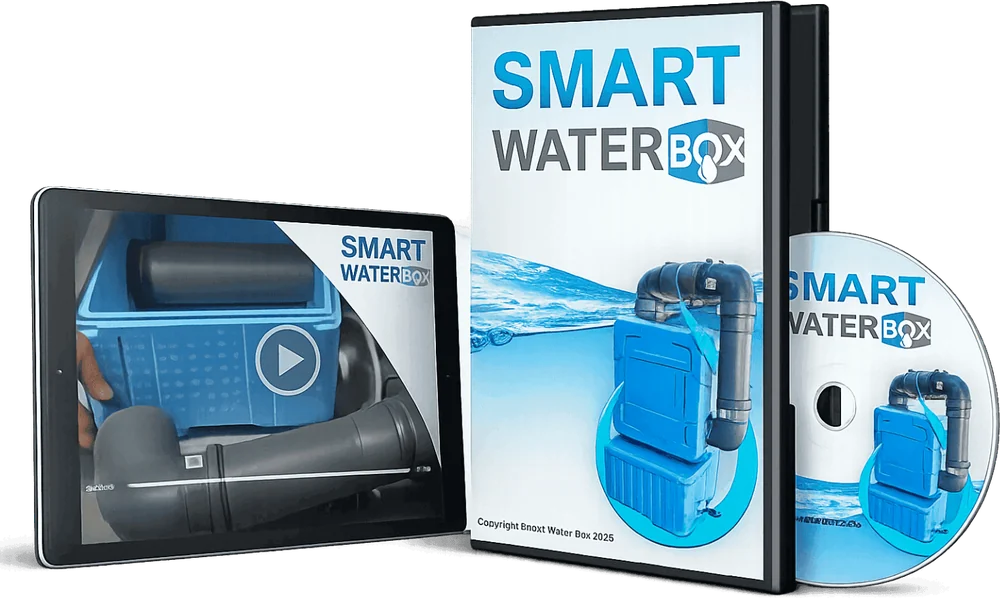
Smart Water Box refund policy, step by step
The seller’s refund page lays out a short sequence. Work through the steps in order, and save a copy of every message you send.
- Dig out the message ClickBank sent after checkout. It documents the order, so have it open as you work.
- Email [email protected]. The refund page wants a short message and nothing beyond it.
- Ask for everything back. Name the 60-day money-back guarantee in the message, and include the order details from your confirmation email so the seller can match the request.
- Wait for the reply and the refund. The seller says refunds post in 3 to 5 business days.
- Confirm the credit. Check your bank or card statement for the refund, and file the seller’s reply with your records.
Why the steps matter before you buy
Reading the refund steps before checkout shapes how you approach the order. You can see the exit route, check whether it suits your plans and only then supply your details. That sequence is a measured way to buy a guide you have not yet read, and it keeps you in control from the outset.
What the refund page says about timing
The refund page describes a 60-day window, and we add no start date of our own. Read that page directly for its exact wording, then compare it with the date on your confirmation email. If the wording or the date is unclear, write to [email protected] and ask before the window becomes a concern.
Timing deserves close attention. Send your request early and keep the sent message, since its date becomes your proof. Money usually lands within three to five business days, according to the seller, though your card issuer can take a little longer to display it.
What to put in your email
A refund request need not be long. A short message does the job: your name, the product name, the details from the confirmation email, and a plain request for a full refund, naming the 60-day guarantee. Keep the tone level and factual. A brief message is easier for the seller to match to an order and leaves a neat record in your inbox.
If you can, send the message from the address you used to order. That makes the match clearer and keeps the confirmation trail together.
If your email gets no reply
Double-check the address for typing mistakes, look in your spam folder and send a brief follow-up that cites the date and subject line of your first message. Keep both messages together. If the refund has not appeared after the seller’s stated 3 to 5 business days, look at your statement again and then contact ClickBank order support with your confirmation email at hand. A calm, written trail is your strongest tool, and it helps whoever reads it respond quickly.
Records to keep for the refund
Create one folder for the order. Place the ClickBank confirmation email, the refund request you sent, any reply from the seller and the line on your bank or card statement inside it. Label the folder with the product and the order date. If you ever need to check the timing, every step will be in sequence, which speeds up any follow-up.
A checklist before you send the email
- Confirm the address is [email protected], typed exactly.
- Quote the product name, Smart Water Box, and the order details from your confirmation email.
- Cite the guarantee, 60 days, and ask for the full amount.
Who to contact for other questions
For the refund itself, the seller’s support address is the route. For questions about the charge on your statement, ClickBank order support deals with the order as the retailer. Log the two threads separately so you always know which company you are writing to.
Why a clear refund route helps
A written refund route turns a purchase into one you can reverse with a short email. That matters for a guide you cannot fully assess before reading it. It also lets you order with a clear exit in view, instead of hoping the details work out later. The seller’s refund page is short, and the steps above track it closely.
Keep your expectations grounded. The refund route is a seller policy, and it does not alter what the guide contains. The contents, format and total are still the items to verify on the order page before paying.
A refund route also keeps the exchange with the seller brief and on point. You are asking for money back under a stated guarantee and nothing more. That is a far calmer exchange than a dispute, and the written steps make a clear answer easier to reach.
Our take on the refund route
Our own rating, editorial in nature, sits at 5.2 out of 10. Among the parts we can verify, the refund promise reads most clearly, and we score it 6.8 out of 10 for that reason. Everything else in the score follows from how little of the guide the public pages disclose. For the wider picture before you revisit the refund steps, the Smart Water Box hub covers the whole offer.
If you read the seller’s refund page today and again before any deadline that matters to you, you should find the same route. The steps are short, but they do not remove the need for your own record of each message and each date.
Keep reading
- Smart Water Box money back guarantee: what the 60 days cover and how to claim
- Is Smart Water Box legit: a check of the seller and its refund channel
- Smart Water Box price: where the figure sits on screen
- Smart Water Box hub: the offer in one place
Frequently asked questions
How do I ask for a Smart Water Box refund?
Send an email to [email protected] asking for the whole amount back, and cite the 60-day money-back guarantee. Add the order details from the ClickBank confirmation email so the seller can match the request.
How long does a refund take?
The seller says refunds post in 3 to 5 business days. Your bank or card company may need a little more time before the credit shows on your statement.
Who is the retailer?
ClickBank is the retailer for Smart Water Box and runs the checkout. For questions about the charge, ClickBank order support can also help.
When does the 60-day window start?
The refund page describes a 60-day window without giving us a start date, and we do not invent one. Read that page and your confirmation email for the wording that applies to you.
Do I need to give a reason?
The refund page asks only for a short email requesting a full refund. Keep the message brief and factual, and save a copy of what you sent.
smart water box refund policy · Smart Water Box refund · Smart Water Box refund request · Smart Water Box guarantee · ClickBank refund guide · Smart Water Box money back