DIY & Home Projects / Guide
Smart Water Box PDF: Is the Guide a PDF? How to Check Before You Order
Smart Water Box PDF: the seller does not state the format on its main page. Here is how to check the format, the total and access on the order page first.
- Author
- Supplement Health Expert Editorial Team
- Updated
- Reading time
- 8 min
- Sources
- 0 cited
Key takeaways
- 01 The main page does not name the format, so the order page is where to verify it before paying.
- 02 Checkout runs through ClickBank, and the total appears there rather than on the seller's main page.
- 03 Guide copies on file-sharing or download sites are not the genuine product and fall outside the refund route.
- 04 The ClickBank confirmation email holds the order details that any refund request will cite.
Looking up a Smart Water Box PDF is a reasonable move before you buy. You want to understand what turns up after checkout, how you open it and whether its material fits a build you might undertake. Those are the right concerns. The starting fact is brief: the main page never names the format, so this article explains how to verify it yourself before paying.
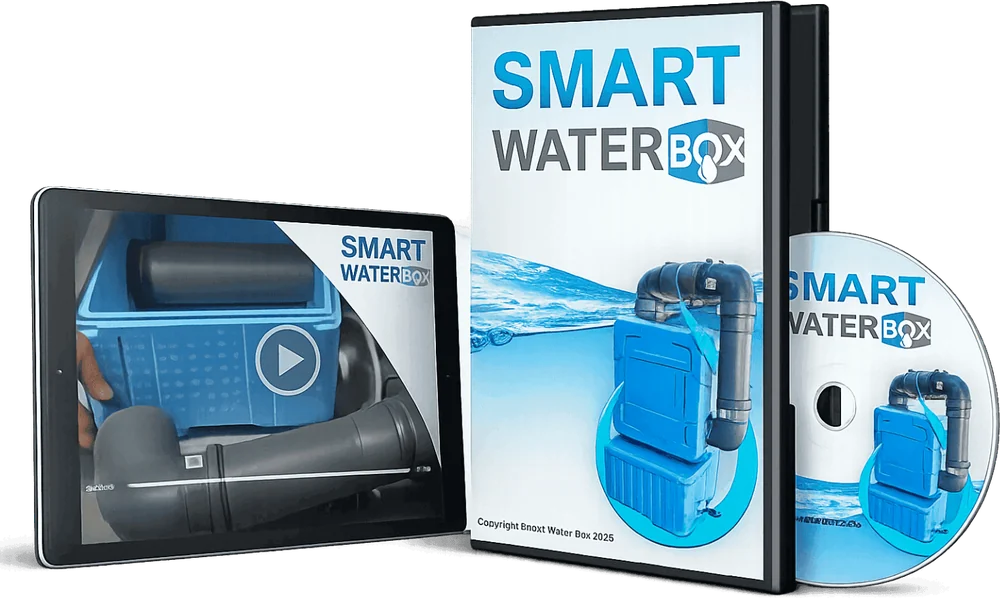
Smart Water Box PDF: what the pages say
The seller describes a guide. The landing text states the goal: a step-by-step plan for a compact box that pulls water out of humid air, and it points toward an intro video. The written text never says whether the guide reaches you as a file for a screen or as a printed item. We will not speculate.
For full transparency, we have not read the guide itself. Any claim about format beyond what the seller’s pages say would be guesswork, so we defer to the order page and to the seller’s written replies.
Why the format matters before you pay
The format influences everything downstream. A file can open on a phone, tablet or computer, and you can search it when you return to a step. A printed item takes up shelf space, and you may need to wait for delivery before starting. Either suits a DIY reader, but they lead to different working habits, so it pays to know which one you are buying before entering details.
The total belongs to the same check. The main page shows no price, which makes the figure on the order page the one that counts. Read it in full, including any extra lines on the checkout screen.
How to check the format on the order page
Work through these steps before paying:
- Begin at watersmartbox.com and follow the Buy button, which opens a ClickBank checkout.
- Read the product name at the top of the order page; it should say Smart Water Box.
- Look for any line describing the format, the components of the guide or how it reaches you.
- Read the total in full, including any additional items that appear on screen.
- If the format still is not clear, put the question to the support address, [email protected], ahead of the order and file the reply with your records.
These five steps take only a few minutes, and they convert a vague offer into a verified one. If a step leaves you without an answer, treat the gap as a reason to ask the seller before you buy.
How access works after checkout
The main page does not explain how access works once ClickBank checkout is complete. Your ClickBank confirmation email is the first document to keep, because it records the purchase. If the guide arrives as a file, save a copy somewhere you control, such as a folder you back up. If it arrives in another form, store the delivery details alongside the confirmation email.
Our safety page covers what to address before any build starts, whatever format the guide takes. Access is only the first step, and the plan still has to be checked against your local rules and your own skills.
If the guide reaches you in a form you did not anticipate, do not assume its contents match the sales page’s description. Read the opening pages, confirm the steps are complete and raise anything that looks missing with the seller. A written plan is only valuable once you know exactly what it includes.
What to ask the seller before you order
If the order page leaves a question unanswered, write to [email protected] before paying. A brief message stating the product name and your question is enough. Ask about the format, whether the guide comes as a file or a printed item and how you receive it after checkout. Request the total as the checkout displays it, so you can cross-check the figures. File the reply with your confirmation email, since it becomes part of the order record.
Write the answers in your own words too. A plan you study over several weeks can drift away from the details you first saw, and a short note keeps the facts straight.
Planning your workspace
Before the guide arrives, pick the spot where you will study it. A file needs a device that can open it and a folder you can back up. A printed item needs a table, a notebook and space for any tools the plan may mention. Either way, clear a spot where you can read each step without hurry and where you can photograph or measure whatever the plan asks you to check. A little planning at the start pays off.
Copies offered elsewhere
Steer clear of any copy of the guide offered on file-sharing or download sites. It is not the genuine guide, you cannot verify its contents and it falls outside the seller’s refund route. Buy only through the official site, watersmartbox.com, and read the product name at payment before entering any details.
Lookalike pages can copy the layout of an official page while using another name. If a page requests payment outside a checkout, or the product name on screen does not match, close it and start again from the official site.
Water and electrical safety
If the format is not what you expected
The offer includes a 60-day money-back guarantee. Should the delivered guide differ from your expectations, message [email protected] for the full sum back. The seller says the money comes back inside three to five business days.
Our take
Smart Water Box, in the seller’s description, is a guide. The one detail the public pages leave unconfirmed is the format, so that is the first thing to verify. On the order page, look up the format and the total; keep your ClickBank confirmation email and confirm local rules before any build. Our rating is 5.2 out of 10, set by us, reflecting how little the public pages divulge.
If you want a written plan to study and you are prepared to verify the details yourself, the Smart Water Box hub keeps the order steps together.
If the order page shows a format that suits you, you can proceed with confidence about the purchase itself. The build still calls for care, planning and local checks, and this article is meant to help you begin that process well.
Keep reading
- What is Smart Water Box: a plain description of the guide
- Smart Water Box refund policy: the refund steps and what to quote
- Smart Water Box official website: the real checkout and how to get there
- Smart Water Box hub: the offer summary page
Frequently asked questions
Is Smart Water Box a PDF?
The seller does not name a format on its main page, so we cannot confirm one. Find the delivery format on the order page ahead of payment, and email [email protected] if it stays unclear.
Where can I check the format?
On the official order page, reached from watersmartbox.com. Look for any wording about the format, match the product title and read the total shown at payment.
How do I get the guide after checkout?
The main page does not describe how access works once checkout is complete. Keep your ClickBank confirmation email and any delivery details, and contact the seller if you cannot locate what you need.
Are copies of the guide genuine?
No. Copies found on file-sharing or download sites are not the genuine guide, their contents cannot be checked, and they sit outside the seller's refund route.
What if the format is not what I expected?
The offer carries a 60-day money-back guarantee. Email [email protected], ask for the full amount back and plan on 3 to 5 business days before it returns.
smart water box pdf · Smart Water Box format · Smart Water Box guide · Smart Water Box download · water from air guide format · Smart Water Box checkout