Creator Software / Guide
InstaDoodle Review: Monthly Plans, Guarantee and Our Verdict
InstaDoodle review: a browser tool for doodle explainer videos, monthly plans from $47, a 60-day guarantee with a credit rule and our 7.6 out of 10 score.
- Author
- Supplement Health Expert Editorial Team
- Updated
- Reading time
- 8 min
- Sources
- 0 cited
Key takeaways
- 01 InstaDoodle is a cloud web app that turns a text prompt into a doodle-style explainer video.
- 02 The three plans bill monthly: Standard $47, Pro $67 and Agency $127 a month.
- 03 Refund eligibility ends after you spend over half of the credits bundled with your plan.
- 04 Our editorial score is 7.6 out of 10. It comes from us, not from buyers.
This InstaDoodle review sets out what the browser tool does, who tends to get value from it, what the three monthly tiers contain and where it falls short. InstaDoodle is a cloud app that takes a written prompt and produces a doodle-style explainer clip, complete with narration, music and export sized for common screens. Our material comes from the seller’s public pages and its terms. We ran no paid session, and wherever that gap affects a conclusion we say so. The bottom line is a qualified yes for people who produce training or explainer clips on a regular basis.
InstaDoodle review: what the tool does day to day
Work happens in a browser tab. There is no download, and the seller states the editor runs on Mac, Windows or any device with a current browser. Your projects follow your login, so a project started on a laptop can be finished on a desktop. Drawing is handled by an engine the seller calls DoodleAI. You describe a figure or a setting, and the engine proposes characters, props and backdrops that you can drag, resize and recolour inside the frame.
Why does this style work for explainers? Strokes appear while a narrator talks, which keeps the eye moving with the argument instead of parked on a static slide. Onboarding material, lesson recaps, how-to walkthroughs and short product explainers all suit that rhythm. The format is a weaker choice for anything that relies on photographs of real places or on elaborate motion graphics with many layers.
A photo route also exists. Picture-to-doodle converts a picture you supply into a line sketch, offered in colour, anime and black-and-white versions. Stick to pictures you hold rights to, because anything you upload passes through the seller’s systems and the outside AI services it uses.
How a video gets built, step by step
Five stages cover the usual project. In stage one you type the prompt for the figure and the setting, and DoodleAI populates the frame. The seller advertises more than fourteen starter templates, which help when a blank page stalls you.
Stage two is arrangement. The editor includes a freehand pen, a fill bucket, an eraser and a background remover, and a panel adjusts blur, opacity and a white wash for the backdrop.
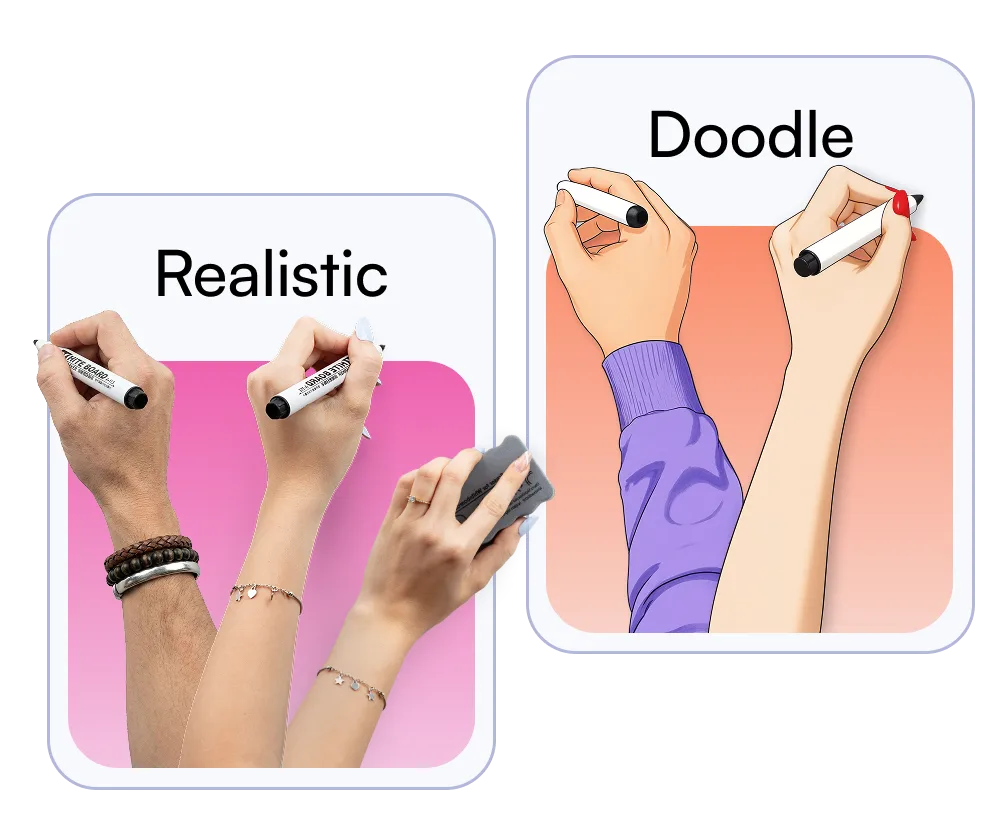
Stage three is choosing a hand and a motion. You get a realistic hand and a doodle hand, along with five animation types: Draw, Wipe, Slide, Fade and Pop In. Slide transitions link one scene to the next.
Stage four is sound. Narration can be generated, recorded live or uploaded, and background music sits on a separate track beneath it.
Stage five is export in 16:9, 9:16, 4:5 or square. The highest resolution you can reach depends on your tier.
In practice, the script and the order of scenes absorb much of the effort. The drawing mechanics are where the tool earns its keep, and that is the part you are paying for.
Tiers and what each one includes
Standard costs $47 each month, Pro $67 and Agency $127. Every tier repeats monthly until you end it. The figures reflect the public page as we checked it on November 24, 2026.
Standard bundles 150 AI credits, the drag-and-drop workspace, picture-to-doodle, an image editor with background removal, 1080p HD output, six AI styles and the template library. Pro layers on the 3,000+ PRO elements and characters the seller describes, exports at 2K and 4K, custom font uploads and a commercial licence attached to this tier. The 20 background music tracks are presented as a bonus under Pro. Agency introduces AI Wizard for scripting, InMotion for footage you film yourself and AI Voices, which offers six voices in more than 30 languages.
Library totals and voice counts come from the seller, and we did not tally them. For a side-by-side view of the same tiers, the InstaDoodle hub is the quickest place to look.
Who should use it, and who should look elsewhere
A teacher assembling short lessons may prefer a drawn explainer to a slide deck, and there is no animation package to learn first. A small firm producing onboarding clips for new hires or customers gains from keeping every step in one workspace. Product explainers can be re-cut into wide and vertical versions with the aspect settings, which saves rebuilding the scenes.
Look elsewhere if you need long films, live footage edits or intricate motion graphics. The tool’s value lies in the doodle style and the prompt-first method, so compare it with other software on those terms only.
Rights, prompts and review before publication
Three things deserve attention before any clip goes live. First, material you feed in, including prompts, uploads and projects, is routed through the seller and the external AI providers named in the terms. Keep private photographs and other people’s voices out of the tool unless you have clearance to use them.
Second, the terms caution that generated material might not earn exclusive copyright coverage, which can make a finished clip harder to defend against copying. Third, they ask you to review what the software produces before you publish, checking names, facts and any on-screen text.
Client work turns on the licence. The seller attaches a commercial licence to Pro, and agency, team, commercial and reseller rights exist only when a purchase spells them out.
A first project worth running
Keep the first attempt small. Write one prompt, generate the scene, check the motion and the voice timing, and add a second scene only after the first one looks right. Note the credit cost of each step. That running tally shows how fast your allowance drains, and it becomes the reference point if a refund question arises later.
Our 7.6 out of 10 score and its reasoning
We score InstaDoodle 7.6 out of 10. This is our editorial assessment, not a buyer rating, and the page includes no customer ratings or counts.
The guarantee earns the top mark, 9.6, because the refund route is spelled out in full. The remaining categories sit lower: what’s included at 7.6, evidence at 6.4, transparency at 7.2, value at 7.6 and ordering at 7.2. Evidence drops the most because the counts and drawing quality rest on the seller’s word and we could not verify every element. The renewal model and the credit threshold trim the overall figure.
The 60-day guarantee and how the credit threshold applies
The refund window is 60 days. The policy adds a threshold that determines eligibility: the refund door closes once the used share of the credits bundled with your tier passes the halfway point. On Standard, that point is 75 of 150 credits. Hold off on generation while a request is pending, since each render moves you closer to the line.
To file, open a support ticket on help.instadoodle.com whose subject line reads Refund Request, then add the login email, the day you bought and the order reference. The seller states it sends eligible refunds within seven calendar days after it has what it needs. Ending a subscription is a different action: it prevents the next renewal, but it does not claw back charges already made.
Verdict
InstaDoodle is a legitimate, focused tool for doodle explainers. Monthly plans begin at $47, the refund route is clear and the feature list is specific. The trade-offs are the credit threshold, the monthly renewal and licence wording that varies by tier. A steady explainer maker should begin on Standard and step up to Pro only when 2K or 4K output is needed.
For the legitimacy questions, read is InstaDoodle legit. The month-by-month figures sit in the InstaDoodle price guide, and the catalog price page has the tier grid.
Frequently asked questions
Is InstaDoodle worth it?
For someone who makes training or explainer clips and wants characters drawn from a prompt, it can be. Start by comparing the tiers: Standard covers the core job, while Pro and Agency add exports, elements and tools that some makers never use.
How much does InstaDoodle cost?
The official page prices its three tiers at $47, $67 and $127 per month, each on a recurring monthly cycle. The checkout displays the exact amount you will pay.
What do I get with InstaDoodle?
A browser editor, the DoodleAI engine, picture-to-doodle, a background remover, voiceover and music options, several animation types and export for 16:9, 9:16, 4:5 and square frames. Library and template counts are the seller's figures.
Is there a version I can use without paying?
No such version exists, according to the seller, so your first charge is taken when you complete checkout.
How do I request a refund?
Open a ticket on help.instadoodle.com under the heading Refund Request, and include the address on your account, the purchase day and the order code. Money is withheld once you have consumed more than half of your included credits.
Who owns the videos I create?
The terms caution that machine-made material might fall outside exclusive copyright, so check each clip before it goes public. Commercial rights hinge on the tier you select.
InstaDoodle review · InstaDoodle · InstaDoodle plans · InstaDoodle verdict · InstaDoodle worth it · InstaDoodle AI video · InstaDoodle score