Creator Software / Guide
InstaDoodle complaints: the doubts to settle before you order
InstaDoodle complaints checked against the seller's pages: monthly billing, AI credit limits, refund rules, commercial use and support. Updated Nov 2026.
- Author
- Supplement Health Expert Editorial Team
- Updated
- Reading time
- 8 min
- Sources
- 0 cited
Key takeaways
- 01 The doubts before an order usually come down to monthly billing, the AI credit allowance and the refund condition.
- 02 There is no version you can use without paying, so the first charge is taken at checkout.
- 03 A refund is not available once more than half of the included AI credits have been used.
- 04 Commercial rights depend on the tier, so read the licence line on the checkout.
InstaDoodle complaints tend to cluster around a few topics: monthly billing, the AI credit allowance, the refund rule, commercial use and getting help from support. This page takes those topics one at a time. We have not counted any buyer’s experience, and we have not invented one. Each answer says what the seller’s own pages and terms state, and what you should check before you pay. The short version: confirm the tier, watch your credits and keep your receipt.
InstaDoodle complaints about billing and renewals
Billing recurs monthly on Standard ($47), Pro ($67) and Agency ($127). Each tier repeats until you end it, and the seller describes no long-term contract. Billing is usually the first doubt on the list, so read the billing line on the checkout slowly before you confirm.
Some checkout template text on the site describes a different billing style and a lower figure. We do not use that text for these tiers. If the checkout shows a period you did not choose, stop and ask before you proceed. Put the renewal date on your calendar. Billing controls or a support request can stop the next month, but past payments are untouched.
Is there a way to start without paying first?
No. The seller offers no version you can use before payment, so the first debit happens at checkout. Plan the first month around the credits you expect to spend. A short project on Standard shows how quickly the allowance moves before you commit to a longer run.
How do AI credits affect the work?
Standard includes 150 AI credits, and the higher tiers add features rather than a separate allowance we can confirm. The seller says the credit cost of an action may change. Heavier work, with lots of generated figures and new narration for every scene, burns credits faster than a brief clip. Watch the balance during your first project, and estimate the scene count before you pick a tier.
Why would a refund be refused?
A 60-day refund window applies, and the policy attaches a limit to it. Past the 50 percent mark of credit consumption, the policy withholds money. On Standard, that point sits at 75 of the 150 credits. If you have crossed it, the policy does not allow a refund, so pause generation while you ask about one.
Cancelling and requesting a refund are separate steps. Cancelling stops the next renewal. Send a claim to help.instadoodle.com, where support staff handle refunds.
Is support hard to reach?
Support runs through help.instadoodle.com, where you open a ticket for billing questions, cancellations and refund claims. The terms place the seller’s name on the checkout and receipt; look for it in both places. We did not find a postal address on the pages we read. If you need one, ask the seller before you order.
Keep the login email, the purchase day and the order code at hand. Once the seller holds the details it needs, a valid claim moves within seven calendar days; a complete first message speeds that along.
Can I use the videos for clients?
The tier settles it. Pro carries a commercial licence according to the seller, and other business rights require explicit inclusion in the purchase. It also says you may not resell platform access. Read the licence line for your tier before you deliver work to a client.
Terms warn that AI-generated footage may not be protectable as exclusive work, and that outputs should be reviewed before publication. Uploads are handled by the seller and by third-party model providers, so keep to material you are entitled to use.
Does the music bonus change the price?
No. The seller lists 20 background music tracks under Pro. They come with that tier, so the monthly figure is the price for the plan and the bonus adds nothing to it. Check the bonus line on the Pro checkout before you finish.
What if the videos look different from what I pictured?
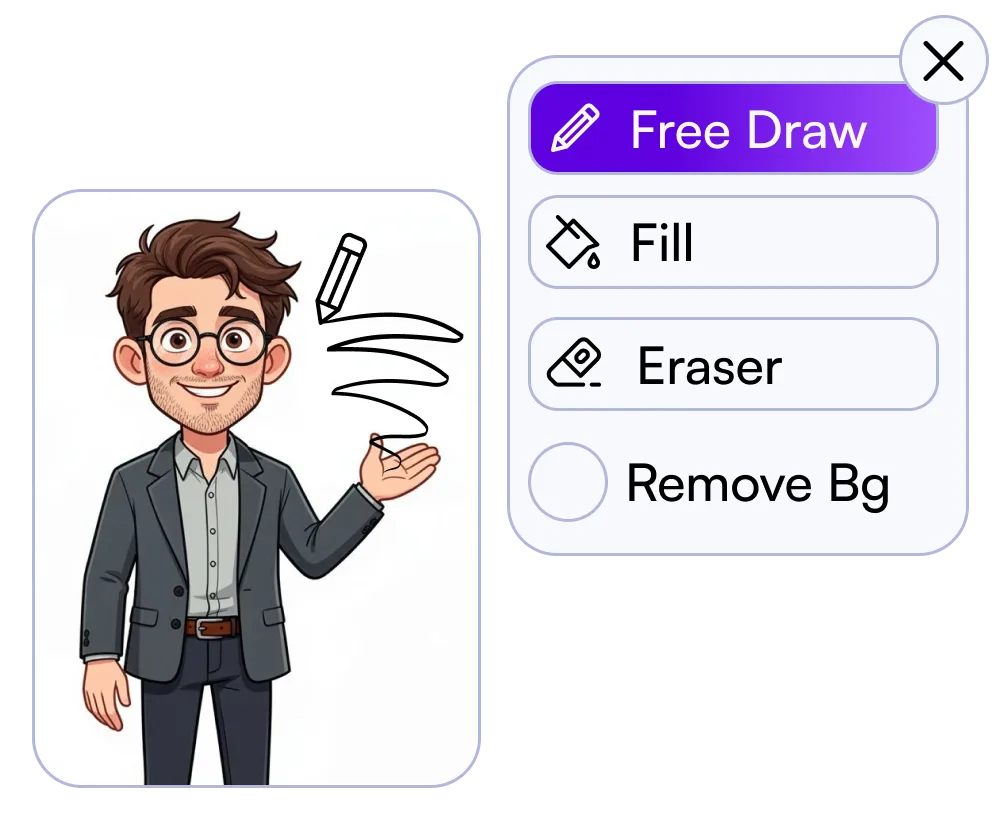
Doodle styles and drawing hands vary from scene to scene, and the seller’s images illustrate the editor rather than promising a particular result. Use the first project to learn how the prompt box and the editor respond. If the output misses your needs, the credit condition still applies, so check your usage before you ask for a refund.
What output quality can and cannot promise
Quality moves with the prompt, the setting and the style of figure you request. A clean, simple background usually reads more clearly than a crowded one, and a precise description of pose and props beats a loose one. Treat the first few generations as calibration. Once you know which phrasings give usable figures, the credit spend per clip drops, and your expectations match what the editor can actually deliver. Keep a short list of prompts that worked, so each new project starts from known ground instead of guesswork.
Starting the first project without waste
A workable order is one scene at a time: write one, generate it, check it, then add the next. That keeps the credit balance visible and makes a problem simple to spot. If a scene misses, change the prompt rather than repeating the same one. Check the drawing, the voiceover timing and any on-screen text before you export, especially when the clip carries a client’s name.
What to do before a refund request
Gather the confirmation email, the receipt and the account email you used. Note the purchase date and the order number. Then check the credit balance, because refunds stop once more than half of the included credits have been used. If you are under that line, say so plainly. If you are over it, reread the policy and consider whether ending the next renewal is the better step.
Keep the request short and factual. Title it Refund Request, state the reason in a sentence and attach only what the seller needs. Keep a copy of what you sent, along with the date and time it left your inbox.
Why the first month deserves a plan
Much of the learning happens in the first month, and so do the fastest credit losses, because you experiment with layouts and redo scenes. Settle in advance how many scenes you will generate before reviewing them, and keep to that number. Record the balance at the end of each session. If you find yourself regenerating a scene more than once, step back and rewrite the prompt instead. A short, deliberate first month gives you a clear picture of your monthly needs before you commit to a tier for a full cycle.
Write the outcome of that month in plain terms: how many finished clips you produced, how many credits they took and whether any step felt wasteful. Those three numbers are the honest basis for choosing a tier, and they are far more reliable than a feature list read once in advance. Revisit them at each renewal date, because your needs will shift as your audience and your schedule change.
Where to read more
The InstaDoodle review covers the tool in full, and is InstaDoodle legit walks through the checks to run before you order. The InstaDoodle hub links to every page we publish, and the catalog FAQ page keeps the same points in compact form.
Frequently asked questions
Are there InstaDoodle complaints about billing?
Billing is the first doubt a prospective buyer tends to raise, so it is worth checking. The tiers are monthly and repeat until you cancel. Read the billing period at checkout and set a reminder for each renewal date.
Does InstaDoodle have a version that costs nothing?
Nothing is usable before checkout, so the first charge arrives there. Plan the opening month around the credits you expect to spend.
Why would a refund be refused?
Refusals follow when the policy's credit line is passed, which is over half of the included credits. Pause generation while a claim is open, because more use can close the door on it.
Is support hard to reach?
Open a ticket at help.instadoodle.com. Keep the login email, the purchase day and the order code ready, along with the confirmation message.
Can I use the videos for clients?
It depends on the tier. The seller lists a commercial licence under Pro and says other commercial rights apply only where the purchase expressly includes them.
Does the bonus change what I pay?
No. The 20 background music tracks come with Pro, and the monthly figure on the checkout is the price for that tier.
InstaDoodle complaints · InstaDoodle problems · InstaDoodle refund problems · InstaDoodle billing · InstaDoodle AI credits · InstaDoodle support · InstaDoodle client rights