Software & Creator Tools/Buyer guide
InstaDoodle Price Nov 2026: From $47/Month, Legit
InstaDoodle costs from $47 a month on three monthly plans. See what each plan lists, the 60-day money-back guarantee and how to order.
- Monthly plans from $47 a month, billed monthly, the seller says
- A cloud web app: type a scene and DoodleAI draws the characters
- 60-day money-back guarantee, with a rule on how many credits you use
- Cancel anytime, per the seller; the order page shows the exact plan
- One bonus listed under the Pro plan: 20 background music tracks
Our editorial score 7.6/10 · $47, $67 or $127 a month, billed monthly · individual results vary
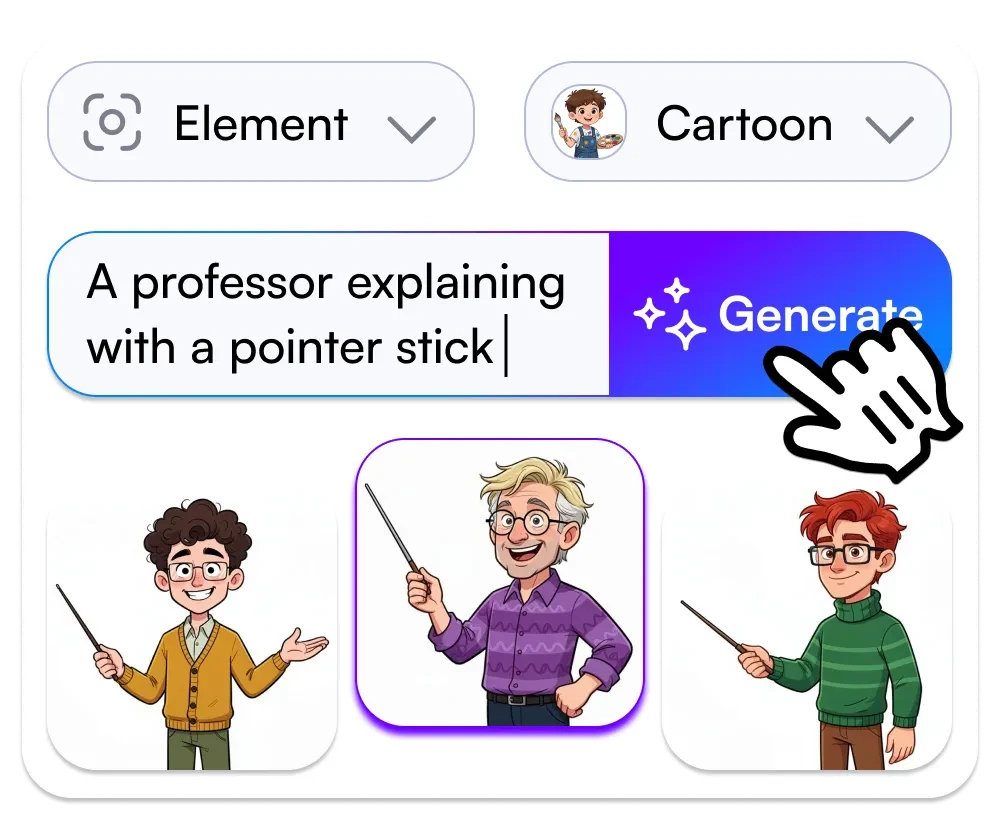
- 60-day money-back guarantee
Seals as shown by the seller on the official InstaDoodle website.
Our 30-second take on InstaDoodle
Editorial verdict
Bottom line
InstaDoodle is a cloud web app for doodle-style explainer videos, sold on three monthly plans from $47 a month. The order page shows the exact plan and price before you pay. The 60-day money-back guarantee does not apply once more than half of the AI credits included with your plan have been used.
Why buyers choose it
- Cloud web app, nothing to install
- Three monthly plans, from $47 a month
- AI credits, with a 50% usage rule on refunds
- Commercial licence on Pro and Agency, as listed
- 60-day money-back guarantee
Best for
People who make explainer or training videos and want a browser tool that draws the characters from a text prompt.
At a glance
- $47, $67 or $127 a month, billed monthly
- 60-day money-back guarantee
- Cloud web app for doodle-style explainer videos, sold on monthly plans
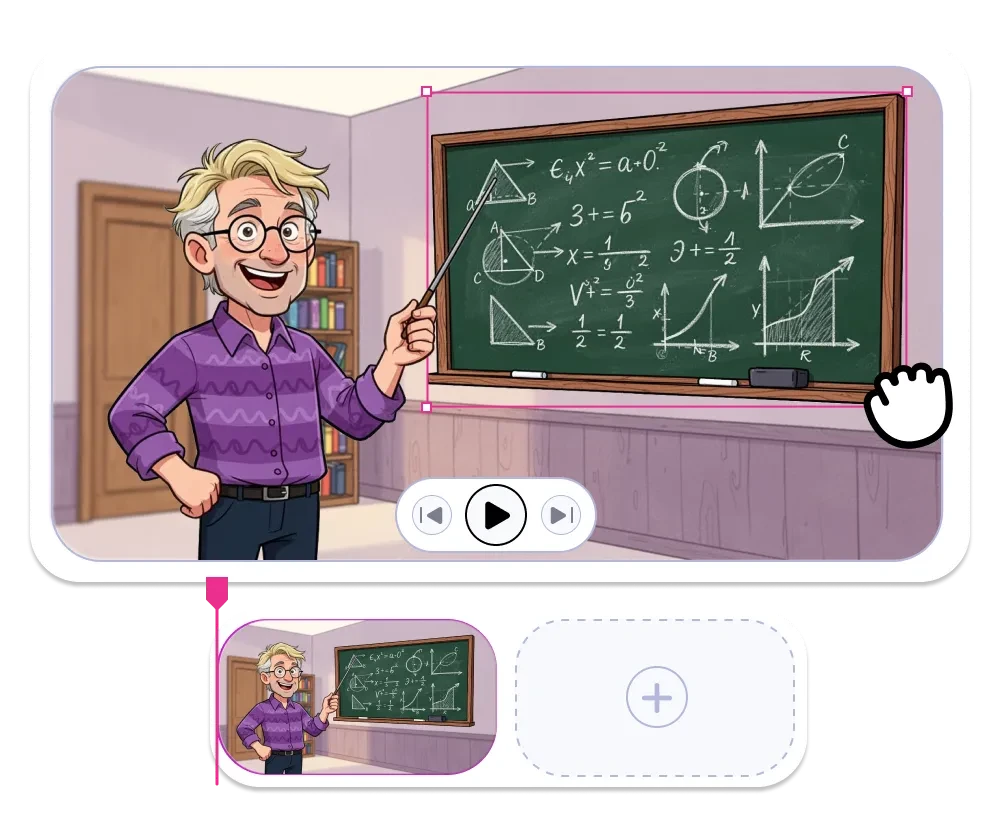
Picture a ninety-second explainer in which a hand you never see draws each character while a narrator talks. InstaDoodle is a cloud web app built for that look. You type a scene, its DoodleAI engine sketches the characters and props, and you finish the clip in the same browser tab. This guide covers what the software does, how a clip gets built, what each monthly plan lists, how the guarantee and its credit rule work, and where the order page fits in.
What the software does
Nothing lands on your hard drive. The editor opens in a browser tab on whichever computer or device you use, and your saved projects are tied to your login, so you can pick one up from another machine later.
The drawing work belongs to DoodleAI, the engine the seller names on its pages. You describe a character or a setting in plain words, and the engine proposes matching figures, props and backgrounds that you can rearrange. You can also start from a photo, provided you hold the rights to it, because the image-to-sketch feature turns a picture into a line drawing in colour, anime or black-and-white styles.
Doodle video earns its place for a simple reason. Lines build on screen while a voice explains the point, so the viewer’s attention follows the idea instead of a stack of stock footage. That makes the format useful for onboarding clips, lesson recaps, process walkthroughs and product explainers.
How a clip comes together
Each video is built scene by scene. The steps below follow the order the seller’s material describes, and they match what you see once you open the editor.
- Start with a prompt. Describe a figure and a place in a sentence or two. DoodleAI draws matching elements, and the seller lists more than fourteen starter templates for a head start.
- Arrange the scene. Move elements around, adjust a background’s blur, opacity or fill, and use the free draw, fill, eraser and remove-background tools.
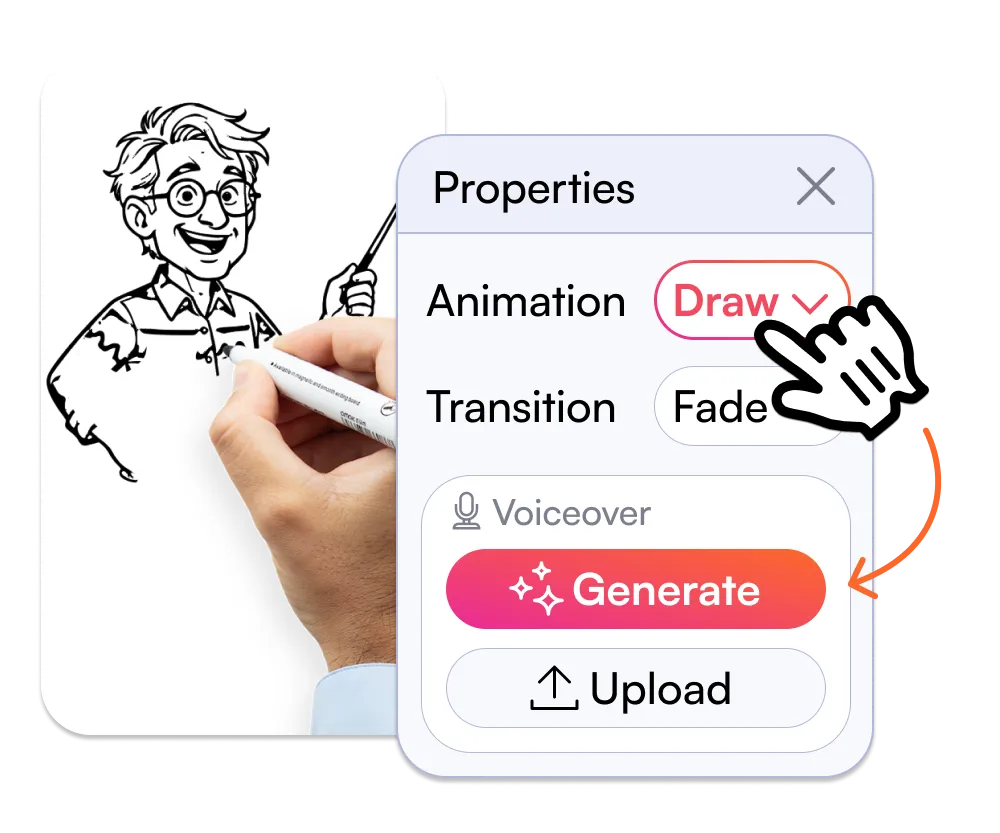
- Choose a hand and a motion. Hands come in realistic and doodle styles. Animation types, as the seller names them, include Draw, Wipe and Slide, along with Fade and Pop In. Slide transitions carry one scene into the next.
- Add the sound. Generate a voiceover, record your own narration or upload a recording, then place background music underneath.
- Export in the frame you need: 16:9 for a wide screen, 9:16 for a phone, 4:5 for a feed, or a square. The resolution you get depends on the plan you hold.
The bulk of your effort goes into the script and the scene order. The tool handles the drawing mechanics, so the planning stays with you.
Plans and what each one includes
The official page lists monthly plans from $47 a month; the order page shows the exact plan and price before you pay.
The base tier costs $47 a month. Its allowance covers a store of 150 credits for AI work, a workspace that lets you drag pieces into place, a tool that converts a picture into a doodle, a small image editor with background removal, 1080p output, half a dozen animation styles, half a dozen AI looks, a shelf of more than fourteen templates and a library of over 1,000 ready-made doodle pieces.
The middle tier is $67 a month and carries everything from the base tier forward. On top of that, the seller lists more than 3,000 PRO characters and elements, PRO styles, twenty premium fonts, exports at 2K and 4K, the option to bring in your own fonts, a commercial licence on this tier, and the twenty background tracks.
The top tier is $127 a month and includes all of the middle tier. Its extras are AI Wizard, which drafts a script and sets up the project for you, InMotion for working with footage you shot yourself, and AI Voices: six voices across 30+ languages.
Those numbers come from the seller. We did not count the library, so read the totals as the seller’s claims.
Matching a plan to your videos
Start with the work in front of you. A first explainer or a short training series fits Standard. If your exports need 2K or 4K, custom fonts or a licence for client work, Pro is the plan that lists them. If you produce scripts and footage on a schedule, Agency adds the tools built for that load.
Read the licence line for your situation before you buy. Rights for agency work, teams, commercial use and resale hold only where a purchase names them, according to the seller. Check that wording on the order page, because a plan can suit your videos and still leave out the rights a paying client expects.
Pricing and the order page
InstaDoodle Official Pricing
As listed on the official store · confirm at checkout
InstaDoodle Standard
$47
Per month, billed monthly
- 150 AI credits, the seller says
- DoodleAI engine, drag-and-drop editor and 1080p HD export
- Picture-to-doodle, plus an image editor with a background remover
- 6 animation types, 6 AI styles and 14+ templates
- 1,000+ built-in doodle elements and slide transitions, the seller lists
InstaDoodle Pro
$67
Per month, billed monthly
- Everything in Standard, the seller says
- 3,000+ PRO doodle elements and characters, the seller lists
- Export in 2K and 4K, and upload custom fonts
- COMMERCIAL LICENSE, as the seller lists it on this plan
- 20 background music tracks, listed by the seller under Pro
InstaDoodle Agency
$127
Per month, billed monthly
- Everything in Pro, the seller says
- AI Wizard: script generator and automatic project creation
- InMotion: upload your own videos, with transitions and 1,000+ animated elements
- AI Voices: 6 voices in 30+ languages, the seller says
- Agency and team rights only where the order page expressly includes them
Plans are billed monthly. The order page shows the exact plan and price, and the checkout shows local currency and any tax, so the final amount can differ. Refunds: A 60-day money-back guarantee. The seller's policy says a refund is not available if more than half of the AI credits included with the plan have been used. Request it through help.instadoodle.com with the subject Refund Request, with your account email, purchase date and order number. Keep your confirmation email..
Each tier bills on a monthly cycle and keeps renewing until you end it. Ending a plan is something you can do whenever you like, because the seller lists no contract that holds you in. Ending a plan and asking for money back are two different actions, so handle them separately.
Before you confirm, look at the tier name, the amount per month and the licence text attached to it. If anything there differs from this guide, the checkout screen is the authority on the price you pay.
Pro plan bonus
The Pro plan also lists 20 background music tracks
The seller lists the background music tracks under the Pro plan, so check the plan you pick on the order page.
- Bonus 01
20 Background Music Tracks
Listed by the seller under the Pro plan.
That bonus is a bundle of 20 background music tracks that the seller places under Pro. They save you a search for royalty-free audio. They are useful, but they should not be the only reason you pick a plan. Compare the Pro features against the price before you choose.
The guarantee and the credit rule
The plans carry a 60-day money-back guarantee. Read the one limit before you start: once more than half of the credits bundled with your tier are gone, the seller’s policy closes the door on a refund. Standard’s halfway point is 75 of its 150 credits, so check the meter from your first session onward.
The InstaDoodle 60-day money-back guarantee
- Keep your order confirmation and the email address tied to your account.
- Watch the credit meter. Past the halfway mark, refund eligibility ends under the policy, so hold off on generating while a request is open.
- Use the help site at help.instadoodle.com to open a ticket marked Refund Request. Include your account email, the purchase date and your order number.
- After it has the details it needs, the seller commits to sending an eligible refund within seven calendar days.
- Stopping renewals is a separate task. Handle it through the billing controls or with support.
Is InstaDoodle legit?
InstaDoodle is a working cloud product. It has a support desk at help.instadoodle.com, a login page, published terms and a published refund policy. The terms say the contracting seller is named at checkout and on your receipt. The pages we read named no company and listed no postal address, so look at the receipt once you order.
The verdict in our scoring is 7.6 out of 10, set by our reviewers and not drawn from buyers. Six category scores feed into it: what’s included 7.6, evidence 6.4, transparency 7.2, value 7.6, guarantee 9.6 and ordering 7.2. The guarantee comes out on top because the refund path is written down plainly. Evidence scores lowest because we could not check output quality or plan limits beyond what the seller publishes.
Limits and rights
AI output needs a human check. The seller’s terms ask you to review what the tool produces before you publish it, which means checking names, facts and on-screen wording. The seller’s terms also warn that AI output may fail to qualify for exclusive copyright protection, so do not count on stopping others from copying a finished video.
Your prompts, uploads and projects pass through the seller and third-party AI providers, as the terms describe. Upload only the images, voices and footage you have the right to use.
Credits are usage units, and under the terms the price of an action can shift over time. Subscriptions renew each month until you end them, and there is no version you can use without paying.
Where to go next
If you are still unsure about the style, the review and the what’s included page go deeper into the plan lists and the limits. If the style already fits, the order page is the next step, and the plan you choose should match how many videos you expect each month. Keep your confirmation email and billing details in one place, so a refund request or a cancellation is quick to handle.
Frequently asked questions
What is InstaDoodle?
InstaDoodle is a cloud web app for making doodle-style explainer videos. You type a scene idea, its DoodleAI engine draws the characters and elements, and you add voiceover, music and animation in the browser. Nothing is downloaded or installed.
How much does InstaDoodle cost?
The official page lists three monthly plans: Standard at $47 a month, Pro at $67 a month and Agency at $127 a month, billed monthly. The order page shows the exact plan and price before you pay.
Is InstaDoodle legit?
It is a working cloud product with a help desk at help.instadoodle.com, a login page, and published terms and refund policy. Our editorial score is 7.6 out of 10. That number is ours, not a rating from buyers.
Is there a money-back guarantee?
Yes. Refunds run inside 60 days. Per the seller's policy, once more than half of the plan's AI credits have gone, no refund is possible. Use help.instadoodle.com and the subject line Refund Request to ask.
Is there a free plan?
No. The seller says it does not offer free versions, and the plans start at $47 a month, billed monthly.
Does the subscription renew?
Yes. The seller says plans renew each month until you cancel. You can cancel through the billing controls or by contacting support.
What bonus comes with InstaDoodle?
Pro is the tier that carries the 20 background music tracks, per the seller. Confirm which plan includes them at checkout before you pay.
InstaDoodle review · is InstaDoodle legit · InstaDoodle price · InstaDoodle official website · where to buy InstaDoodle · InstaDoodle complaints · InstaDoodle plans · InstaDoodle refund · Insta Doodle