DIY & Home Projects / Guide
Where to Buy Smart Water Box: The Official Order Page Route
Where to buy Smart Water Box: order only through the official site, check the product name and total at ClickBank checkout, and keep your confirmation email.
- Author
- Supplement Health Expert Editorial Team
- Updated
- Reading time
- 8 min
- Sources
- 0 cited
Key takeaways
- 01 Start at watersmartbox.com, which opens a ClickBank checkout, and avoid copies found elsewhere.
- 02 At checkout, confirm the product name, the total and any format wording before entering details.
- 03 No price appears on the main page, so the total shown during checkout is the figure to rely on.
- 04 The ClickBank confirmation email is the document to keep for support and refund questions.
Knowing where to buy Smart Water Box comes before everything else. A guide you cannot trace back to its official route is a guide you cannot verify, and that is the core reason to start at the seller’s own site. The path is brief: go to watersmartbox.com, press the Buy button to reach the ClickBank checkout and check the product name and total on that screen. The steps below follow in sequence, so you can complete the order with every detail in front of you.
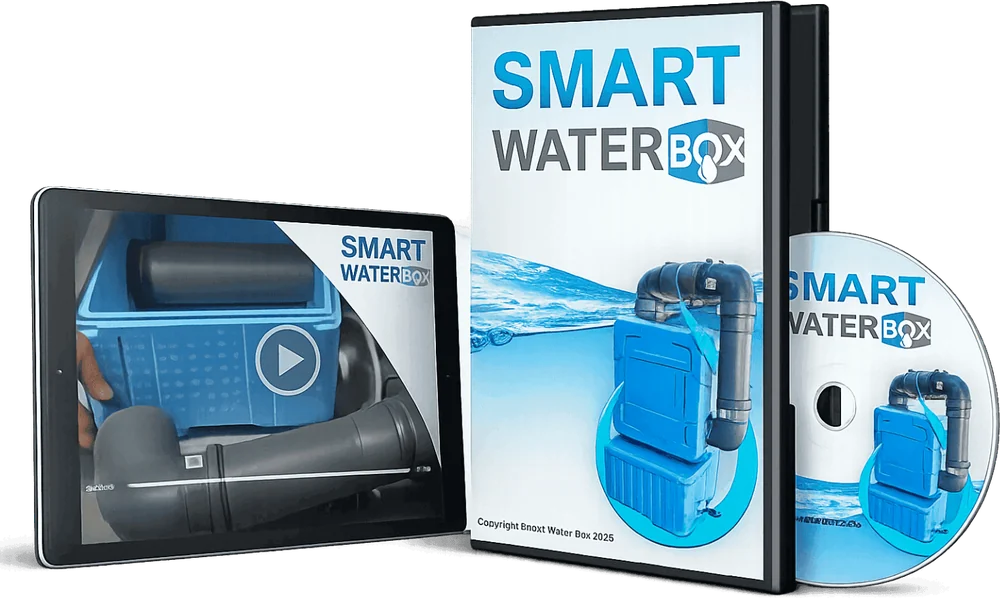
Where to buy Smart Water Box, step by step
Work through these five steps in order. Each is a short check that protects the purchase.
- Enter watersmartbox.com in your browser. Begin at the seller’s own address, not at a link inside a message or an advert.
- Review the main page. Take note of the product name, the seller’s support email and the disclaimer about the device.
- Press the Buy button to reach ClickBank checkout. The seller’s Buy buttons open a ClickBank checkout, where the order is placed.
- Inspect the checkout screen. Make sure the product name reads Smart Water Box, read the total in full and look for any format wording.
- Save the confirmation email. ClickBank sends it once the order goes through, and it holds the details for any support or refund matter.
Why the official route matters
Copies of a product page can look convincing, and a lookalike can borrow a near-identical name. Starting from the seller’s own address keeps you on the route the seller describes, including the support email and the refund steps. It also keeps the confirmation trail in one spot. If a page wants payment outside a checkout, or the name on screen differs from the one you were shown, close it and begin again from watersmartbox.com.
Do not treat a search result as a shortcut. A result may lead to a page that imitates the seller’s site, so type the address yourself each time you come back.
The official route also helps you read the seller’s pages in context. The main page presents the product, the disclaimer and the support email, and the checkout confirms the total. Taking them in that order keeps the facts straight and prevents one eye-catching line from dominating your thinking.
What to check on the checkout screen
The checkout screen is where the order is confirmed, so read it slowly and compare each line with this article:
- Product name: it should read Smart Water Box, not a similar-sounding title.
- Total: read the full amount, including any extra line that shows up before you confirm.
- Format: look for wording that explains how the guide is delivered. With no format stated on the main page, the checkout becomes one of the few places left to confirm it.
- Refund route: note the seller’s support email and the 60-day money-back guarantee it describes.
If anything on the screen fails to match, stop and email [email protected] before entering your details. A brief question now is far clearer than a refund request later.
Price and total: what the pages show
The seller’s main page displays no price, and the total appears on the official order page. Pages on the seller’s site can show different amounts, so the figure that matters is the total on your checkout screen, not a number from an article or a banner. Read the total in full before confirming, and note it alongside your confirmation email.
Our price guide explains what to look for on the order page, and the hub gathers the order steps in one place.
After the order: what to keep
After the order goes through, hold on to three items. The first is the ClickBank confirmation email, which carries the order details. The second is the seller’s support address, [email protected], used for refund requests and format questions. The third is a short note of the product name and total as they appeared at checkout. Those three items answer nearly every question that comes up once you have bought.
Save the confirmation email somewhere you can locate quickly, and keep it until you have finished with the guide and the refund window you care about.
If you share the order with someone helping you plan a build, pass along the product name and a copy of the confirmation email rather than a screenshot of the checkout. The email is the record ClickBank issues, and it is the record to cite in any support query.
If the order page looks different from this article
Pages change, so a page you read today may look different when you return. If the checkout displays a product name, total or format that differs from what this article describes, do not carry on based on what you read here. Close the page, return to watersmartbox.com by typing the address yourself and compare again. If the difference persists, email [email protected] before ordering, quoting the product name and total you see.
Keep the reply alongside your confirmation email. A written record of what you were shown at checkout is worth having if a question surfaces later, and it takes only a few minutes to set up.
Who should order through this route
Someone who likes a single written plan and checks the product name, total and format before paying will get the most from this route. It suits a reader who would rather confirm details on the checkout screen than rely on a summary, this one included.
Buyers after a ready appliance, a kit sent to the house or live coaching will be disappointed by this route. The seller’s pages describe a guide, so set that expectation before you begin.
Our verdict
Smart Water Box holds our 5.2 out of 10 editorial score. The guide’s format, contents and device behaviour remain the points the seller has not shown in writing, so check them on the order page and in your own planning.
If you are ready to order, follow the route in this article, read the checkout screen carefully and keep your confirmation email. The Smart Water Box hub has the full overview of the guide.
Keep reading
- What is Smart Water Box: what the offer is, and what it leaves open
- Smart Water Box official website: the official address and what to expect
- Smart Water Box refund policy: refund wording, unpacked
- Smart Water Box hub: overview of the offer
Frequently asked questions
Where is the official place to buy Smart Water Box?
The official site is watersmartbox.com. Its Buy buttons take you to a ClickBank checkout, so begin on the seller's site rather than on a copy.
Can I buy Smart Water Box from a marketplace or file site?
We advise against it. Copies on other sites are not the genuine order page, their contents cannot be verified and they may fall outside the seller's refund route.
What should I check at checkout?
Look for Smart Water Box as the product name, read the total in full and watch for any format wording. If anything differs from this article, stop and ask the seller first.
What is the total for Smart Water Box?
No price appears on the main page, so the total sits on the official order page. Pages on the seller's site may display different amounts, so trust the figure on the checkout screen over any number in an article.
Who handles the payment?
ClickBank is the retailer. Its confirmation email records the order and is the document to keep for any support or refund question.
where to buy Smart Water Box · Smart Water Box official order page · buy Smart Water Box · Smart Water Box ClickBank · Smart Water Box order · Smart Water Box official site