Software & Creator Tools/What's Included
InstaDoodle What's Included: Plans, Tools, Features
What is included with each InstaDoodle plan, as the seller lists it: Standard, Pro and Agency features, tools, export options and the commercial licence line.
- From $47 a month, billed monthly
- 60-day refund
- Software & Creator Tools
By Supplement Health Expert Editorial Team · · 8 min read
- Refund window
- A 60-day money-back guarantee. The seller's policy says a refund is not available if more than half of the AI credits included with the plan have been used. Request it through help.instadoodle.com with the subject Refund Request, with your account email, purchase date and order number. Keep your confirmation email.
- Price from
- $47/month billed monthly
- Category
- Software & Creator Tools
- Our score
- 7.6/10 editorial
Key takeaways
- 01 Each InstaDoodle plan builds on the one below it, according to the seller's plan lists.
- 02 Standard lists 150 AI credits, the editor, six animation types and 1080p HD export.
- 03 Pro adds 2K and 4K export, more elements, PRO styles, custom fonts and a commercial licence line.
- 04 On top of Pro, Agency brings AI Wizard, InMotion and six AI Voices across 30+ languages.
Think of this page as a plan-by-plan reading list. Each InstaDoodle plan includes everything in the one before it, so Pro starts from Standard and Agency starts from Pro. Each section below uses a table to show what the seller lists for that plan, and then what changes as you move up. Confirm the final set on the order page, which shows the plan and price you will pay.
Every line here is the seller’s own list. Where a number or limit is the seller’s claim, the table says so in the wording.
Standard at $47 a month
Standard is the entry point and the set you use in every project. It holds the drawing engine, the editor, the animation types and the export options that the other plans build on.
| Feature area | What the seller lists on Standard |
|---|---|
| AI credits | 150 AI credits |
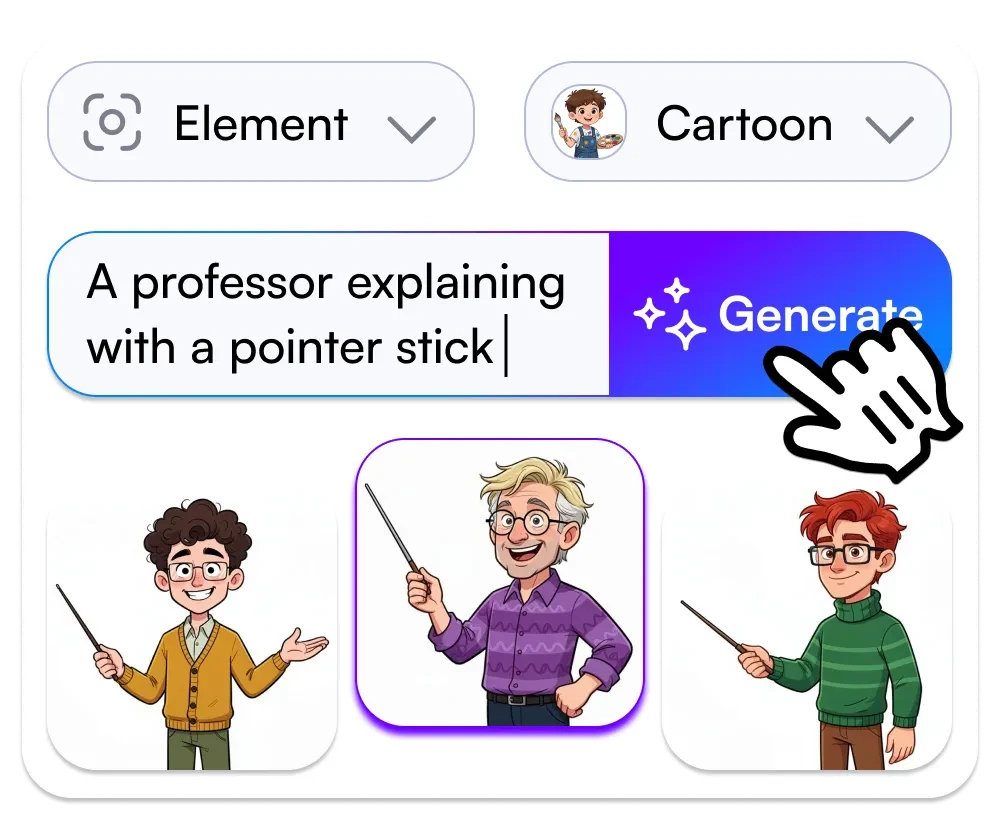
| Drawing engine | DoodleAI, which draws characters, elements and backgrounds from a prompt |
| Editor | Drag-and-drop editor, with uploads of your own images |
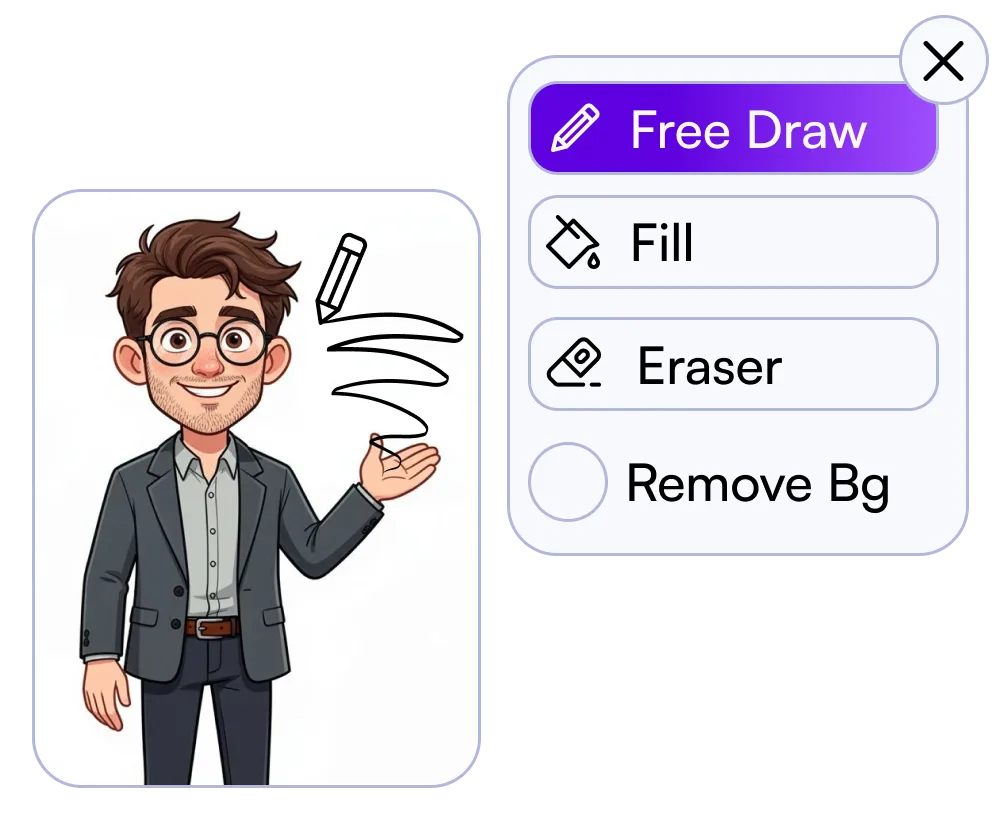
| Image tools | Picture-to-doodle, plus a small editor that removes backgrounds |
| Export | 1080p HD |
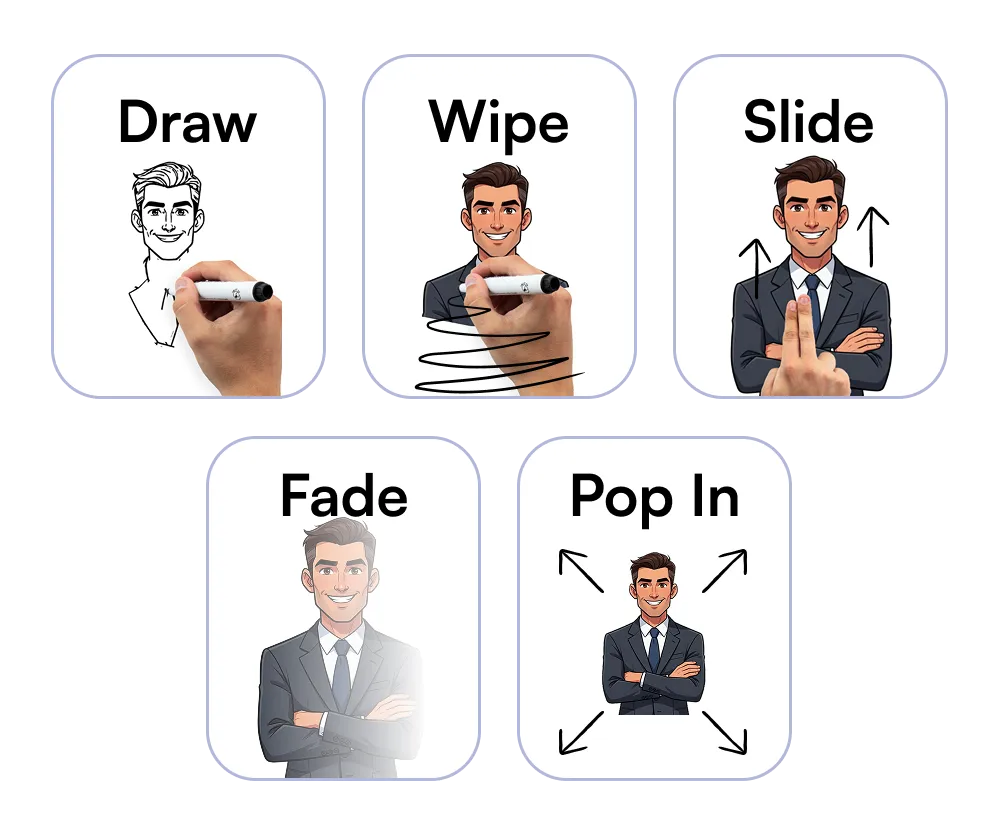
| Animation | 6 animation types, including Draw, Wipe, Slide, Fade and Pop In |
| Styles | 6 AI styles |
| Drawing hands | 8 drawing hands |
| Templates | 14+ starter templates |
| Library | 1,000+ built-in doodle elements |
| Transitions | Slide transitions |
| Languages | Works in any language, the seller says |
Standard is a sensible place to learn the workflow. Build one short project, then check how many credits it used before you settle on whether the allowance fits your month.
What Pro adds at $67 a month
Pro keeps everything in Standard and adds more elements, more styles, higher export resolution and the items the seller lists as commercial. The table shows only the additions, so read it alongside the Standard table above.
| Feature area | What Pro adds |
|---|---|
| Library | 3,000+ PRO doodle elements and characters |
| Styles | PRO AI styles |
| Typography | 20 pro fonts, and custom font uploads |
| Backgrounds | Custom pro backgrounds |
| Variations | 4x variations per element |
| Queue | Faster, priority AI queue |
| Drawing hands | 8 more drawing hands |
| Slides | Slides per project, as the seller lists it on Pro |
| Export | 2K and 4K |
| License | COMMERCIAL LICENSE, as the seller lists it on this plan |
| Support | VIP Support |
| Bonus | 20 background music tracks, listed by the seller under Pro |
The commercial license line sits on Pro only, according to the seller’s list. It is one line on a plan table, so check the license wording on the order page before you use a video in paid client work. Standard does not carry the same line.
What Agency adds at $127 a month
Agency keeps everything in Pro and adds the tools the seller aims at larger volumes: script generation, uploaded video and multi-language voices.
| Feature area | What Agency adds |
|---|---|
| Scripts | AI Wizard, a script generator with automatic project creation |
| Video | InMotion, for uploading your own videos, with transitions and 1,000+ animated elements |
| Voices | AI Voices, 6 voices in 30+ languages |
| Rights | Agency and team rights only where the order page expressly includes them |
The seller words its Agency rights carefully, and we follow that wording. If you plan to hand videos to clients or share the account with a team, read the order page before you pay. The Agency name alone does not grant a right the page leaves out.
Credits, usage and what the tables do not show
Every plan carries AI credits. The seller calls them usage units and notes that an action’s price can shift, so a month with a heavy run of generated characters can eat through more of the allowance than a month of simple scenes. The same credits feed the refund rule. Going past the halfway point of your included allowance ends refund eligibility under the seller’s terms.
The tables also leave out how long a render takes and how the output looks on your own material. They are a list of promises, not a measured result. Per the seller, you need only a current browser on a Mac, a PC or another device, since nothing gets installed.
Choosing a tier by the work you do
Start from the work, not from the feature count. Someone who makes one training clip a month can usually work from Standard, provided the 150 credits cover the scenes and the voice takes. Someone who must deliver 2K or 4K output for a client is looking at Pro, because the seller lists those export sizes on that plan and not on Standard. A team that writes several scripts a week and wants automatic project creation will look at Agency, since AI Wizard appears only in that tier.
Each tier is a monthly charge, so the right line is the one that gets your project finished without a month of waiting. Confirm the tier and its billing period on the order page before you pay. Do not assume a higher tier is simply a bigger version of the one below it. The tables show the additions, and those additions are what you are paying for.
If a tier does not suit you
For that case, the 60-day guarantee is the way out. To claim, write to help.instadoodle.com and mark the message Refund Request, including the email on your account, the day you bought and the order number. Keep your confirmation email with the request. Going past the halfway point of your included credits ends refund eligibility, so measure your use while you check whether the tier fits. Cancelling the subscription is a separate action, and the seller handles it separately from a refund, so do both on purpose rather than assuming one covers the other.
Reading a table before you pay
Each table reports what the seller says a plan includes. It does not guarantee a particular video, and it does not compare InstaDoodle with other tools. If one line settles your choice, such as export size, the license or the credit count, check it on the official page and again on the order page first. The order page shows the exact plan, the price and the billing period.
InstaDoodle Official Pricing
As listed on the official store · confirm at checkout
InstaDoodle Standard
$47
Per month, billed monthly
- 150 AI credits, the seller says
- DoodleAI engine, drag-and-drop editor and 1080p HD export
- Picture-to-doodle, plus an image editor with a background remover
- 6 animation types, 6 AI styles and 14+ templates
- 1,000+ built-in doodle elements and slide transitions, the seller lists
InstaDoodle Pro
$67
Per month, billed monthly
- Everything in Standard, the seller says
- 3,000+ PRO doodle elements and characters, the seller lists
- Export in 2K and 4K, and upload custom fonts
- COMMERCIAL LICENSE, as the seller lists it on this plan
- 20 background music tracks, listed by the seller under Pro
InstaDoodle Agency
$127
Per month, billed monthly
- Everything in Pro, the seller says
- AI Wizard: script generator and automatic project creation
- InMotion: upload your own videos, with transitions and 1,000+ animated elements
- AI Voices: 6 voices in 30+ languages, the seller says
- Agency and team rights only where the order page expressly includes them
Plans are billed monthly. The order page shows the exact plan and price, and the checkout shows local currency and any tax, so the final amount can differ. Refunds: A 60-day money-back guarantee. The seller's policy says a refund is not available if more than half of the AI credits included with the plan have been used. Request it through help.instadoodle.com with the subject Refund Request, with your account email, purchase date and order number. Keep your confirmation email..
Frequently asked questions
What is included with InstaDoodle Standard?
The seller lists 150 AI credits, the DoodleAI engine, a drag-and-drop editor, picture-to-doodle, an image editor with a background remover, 1080p HD export, six animation types, six AI styles, 14+ templates and 1,000+ built-in doodle elements.
What does Pro add to Standard?
The seller lists 3,000+ PRO doodle elements and characters, PRO AI styles, 20 pro fonts, export in 2K and 4K, custom font uploads, a commercial licence line, VIP support and 20 background music tracks listed under Pro.
What does Agency add to Pro?
The seller lists AI Wizard for script generation and automatic project creation, InMotion for uploading your own videos, and AI Voices with six voices in 30+ languages.
What export sizes are there?
Four frame shapes are on the seller's list: 16:9, 9:16, 4:5 and square. Standard covers 1080p HD, while Pro and Agency add 2K and 4K.
Are the plan lists the same as the order page?
The plan lists here come from the seller's pages. The order page shows the exact plan, price and billing period before you pay, and it is the final reference.
InstaDoodle whats included · what is in InstaDoodle · InstaDoodle features · InstaDoodle plans compared · InstaDoodle export options · InstaDoodle commercial license