Software & Creator Tools/Benefits
InstaDoodle Benefits: What You Can Make and How
InstaDoodle benefits for explainer makers: type a scene idea, let DoodleAI draw it, add voiceover and music, and export for common screen shapes.
- From $47 a month, billed monthly
- 60-day refund
- Software & Creator Tools
By Supplement Health Expert Editorial Team · · 7 min read
- Refund window
- A 60-day money-back guarantee. The seller's policy says a refund is not available if more than half of the AI credits included with the plan have been used. Request it through help.instadoodle.com with the subject Refund Request, with your account email, purchase date and order number. Keep your confirmation email.
- Price from
- $47/month billed monthly
- Category
- Software & Creator Tools
- Our score
- 7.6/10 editorial
Key takeaways
- 01 The main benefit is a shorter path from a script to a finished doodle video, without a separate animation program.
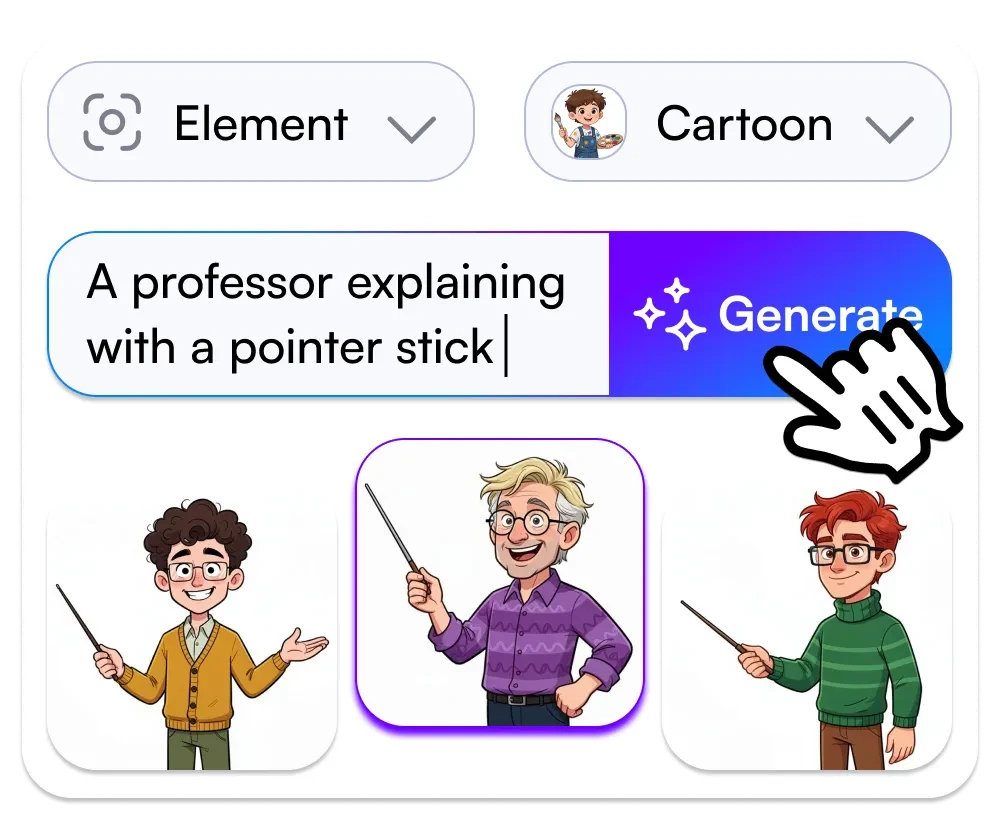
- 02 You type a scene idea and DoodleAI draws the characters and elements, which you can then arrange and adjust.
- 03 The same workflow handles narration, background music and exports in 16:9, 9:16, 4:5 or square.
- 04 Plans begin at $47 a month, billed monthly, and a 60-day refund window applies with a credit-use limit.
A doodle explainer works because the picture does the teaching. A line drawing appears while the narrator speaks, so the viewer follows a process instead of a talking head. InstaDoodle is a cloud web app built around that style. This page covers what you can make with it, what the tool does for you in plain terms, and where the benefit runs out.
What you can make with it
The seller names several uses for its tool: training, onboarding, explainers, how-to videos and educational clips. Each one maps onto work you may already do.
A training clip could walk a new hire through a checkout routine, a safety step or a menu in a software program. An onboarding clip could show a customer how to set up an account in four steps. An explainer could cover a policy change or a single product feature in about ninety seconds. A how-to could show a home repair, a study method or a recipe with the steps drawn in sequence.
The doodle style earns its place when the order of things matters. It keeps the viewer’s attention on the change from one step to the next. A single idea that builds from one point to the next fits well. A long argument packed with text needs cutting before it goes into the editor.
Where the time goes
The practical benefit is speed from a rough idea to a usable draft. You do not have to draw each character, time each movement and build each background yourself. You describe what the scene should show, and DoodleAI draws the characters, elements and backgrounds to match. After that, you move things around, pick a drawing hand, choose an animation and adjust the timing.
That changes where your effort goes. Less of it lands on drawing and more of it lands on the script and the running order of the scenes. Those choices settle whether an explainer makes sense to a stranger, so time saved on the drawing is time you can spend on the message itself.
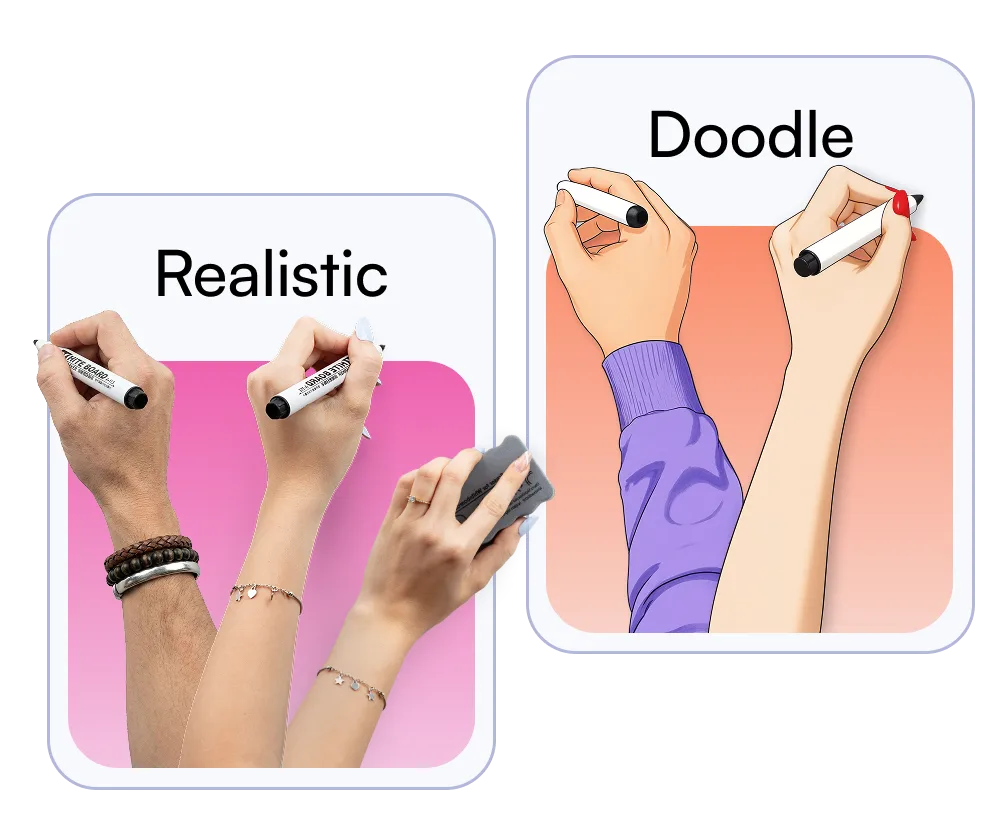
Drawing hands are a small choice with a visible effect. The seller lists realistic and doodle hand styles, so the hand can match the tone of the clip. A friendly onboarding video may suit the doodle hand, while a formal policy explainer may read better with the realistic one. Try both on the same short scene and keep whichever suits the message.
Voice and sound in the same window
An explainer depends on its narration, so the audio tools matter. InstaDoodle lists three routes: a generated voiceover, a narration you record or upload, and background music. The seller presents these as part of the same project, so you do not need a second program to lay a track under the drawing.
On the Agency plan the seller lists AI Voices, with six voices in more than 30 languages. That helps if you publish one explainer for several audiences. Every plan allows your own narration, which keeps the voice consistent across your other content. Check the rights to any voice or track you upload before you publish.
Export for the screen you use
Export options matter more than they first seem. A phone story has a different shape from a wide website video, and reformatting by hand takes time. Four shapes sit on the seller’s list, namely square, 4:5, 9:16 and 16:9, so one project can be exported for each place it will appear.
Use 16:9 for a website, a course page or a slide deck. Use 9:16 for a vertical story. Use 4:5 for a feed post, and square for a social post that holds up on any screen. Resolution depends on the plan: Standard lists 1080p HD, and Pro and Agency also list 2K and 4K.
Who it suits
The tool suits people who make explainers, training or lessons on a regular schedule and want a browser tool they can open from any device. It also suits a small team that needs a consistent look across a set of clips, and someone new to animation who wants a clear workflow without learning a timeline editor.
It suits less well a project that needs real footage, a long documentary or a complex live-action edit. The doodle style is the product’s focus, so a different kind of video will probably need a different tool.
Limits that come with the benefit
The seller says AI output should be reviewed before you publish it. Read every line of script and check every name, date and fact the tool produced. A polished sentence can still be wrong, and a viewer who catches one error will doubt the rest of the clip.
Anything you feed in, from scripts to photos to voice files, passes through the seller’s systems and those of outside AI services, so keep private material out of it. Generated output may also fall outside exclusive copyright, as the terms note.
Credits shape the benefit as well. The Standard allowance is 150 AI credits, though the seller notes an action’s cost can move. The refund window also has a credit condition: when more than half of the included allowance is spent, the seller’s policy makes you ineligible. To claim, write to help.instadoodle.com, mark the message Refund Request and attach the email on your account, the day you bought and the order number.
A measured way to begin
Start with one short scene instead of a full course. Type a single scene idea, let DoodleAI draw it, add a brief voiceover and export in the shape you need. That shows you more about the workflow than any feature list will. Once the first scene looks right, build the rest of the explainer the same way.
The plans are billed monthly, and the seller says you can cancel anytime. The order page is where the exact plan, price and billing period appear, so check the total there before you confirm.
Where the value sits
The value of a doodle tool is the finished video, not the length of its feature list. A good explainer makes one point clearly, in the order the viewer needs it, with narration that matches the picture. InstaDoodle puts the drawing, the voice and the export in one browser tab, which makes that kind of video easier to finish.
Whether the monthly price is worth it depends on how many videos you make and how much time the workflow saves you. Work that out on the plan you are considering, using the credits the seller lists, before you commit.
InstaDoodle Official Pricing
As listed on the official store · confirm at checkout
InstaDoodle Standard
$47
Per month, billed monthly
- 150 AI credits, the seller says
- DoodleAI engine, drag-and-drop editor and 1080p HD export
- Picture-to-doodle, plus an image editor with a background remover
- 6 animation types, 6 AI styles and 14+ templates
- 1,000+ built-in doodle elements and slide transitions, the seller lists
InstaDoodle Pro
$67
Per month, billed monthly
- Everything in Standard, the seller says
- 3,000+ PRO doodle elements and characters, the seller lists
- Export in 2K and 4K, and upload custom fonts
- COMMERCIAL LICENSE, as the seller lists it on this plan
- 20 background music tracks, listed by the seller under Pro
InstaDoodle Agency
$127
Per month, billed monthly
- Everything in Pro, the seller says
- AI Wizard: script generator and automatic project creation
- InMotion: upload your own videos, with transitions and 1,000+ animated elements
- AI Voices: 6 voices in 30+ languages, the seller says
- Agency and team rights only where the order page expressly includes them
Plans are billed monthly. The order page shows the exact plan and price, and the checkout shows local currency and any tax, so the final amount can differ. Refunds: A 60-day money-back guarantee. The seller's policy says a refund is not available if more than half of the AI credits included with the plan have been used. Request it through help.instadoodle.com with the subject Refund Request, with your account email, purchase date and order number. Keep your confirmation email..
Frequently asked questions
What can I make with InstaDoodle?
Doodle-style explainer videos, training clips, onboarding videos and how-to lessons. The seller lists these uses on its pages, and the format suits a process or an idea that unfolds step by step.
Do I need drawing skills?
No drawing skill is needed to start. You describe the scene, DoodleAI draws the characters and elements, and you arrange and time them in the editor.
Can I add my own voice or music?
Yes. The seller lists generated voiceover, uploaded narration and background music. The Pro plan lists 20 background music tracks under Pro.
Which video shapes can I export?
Choose 16:9 for a wide screen, 9:16 for a phone story, 4:5 for a feed and square for social posts. The seller lists these four shapes.
Does InstaDoodle promise results?
No. We do not promise income, sales or views. The benefits here are about making a video faster, and the results depend on your message, your audience and your own editing.
InstaDoodle benefits · InstaDoodle features · why use InstaDoodle · InstaDoodle explainer videos · InstaDoodle training videos · InstaDoodle export sizes