Software & Creator Tools/Review
InstaDoodle Review: Plans, Limits and Verdict
Our InstaDoodle review of a browser tool for doodle explainers: monthly plans from $47, a 60-day refund window and a limit tied to AI credits.
- From $47 a month, billed monthly
- 60-day refund
- Software & Creator Tools
By Supplement Health Expert Editorial Team · · 8 min read
- Refund window
- A 60-day money-back guarantee. The seller's policy says a refund is not available if more than half of the AI credits included with the plan have been used. Request it through help.instadoodle.com with the subject Refund Request, with your account email, purchase date and order number. Keep your confirmation email.
- Price from
- $47/month billed monthly
- Category
- Software & Creator Tools
- Our score
- 7.6/10 editorial
Key takeaways
- 01 InstaDoodle is a cloud web app for doodle-style explainer videos, sold on three monthly plans from $47 a month.
- 02 Per the seller, the bundle covers AI drawing, editing, narration, music and four export shapes: 16:9, 9:16, 4:5 and square.
- 03 Per the seller, a refund request fails once more than half of the AI credits in your plan have been spent.
- 04 Our editorial score is 7.6 out of 10, ours and not from buyers.
Our editorial score
How we score7.6/10
Our own assessment: the average of the six categories below. Not a customer rating or an average of reviews.
| What you receive | What the buyer actually gets for the money, measured against what the sales page suggests | 7.6/10 |
|---|---|---|
| Evidence strength | Published research on the method behind the product, and on the product itself | 6.4/10 |
| Transparency | Who is behind it, how it is made, and whether the fine print matches the headline claims | 7.2/10 |
| Value | The single price compared with free or cheaper alternatives | 7.6/10 |
| Guarantee and refund | Length and conditions of the refund window | 9.6/10 |
| Ease of ordering | One clear store, clear monthly billing at checkout, delivery and support | 7.2/10 |
Explainer videos tend to stall at the storyboard. You know the point you want to make, but drawing each character, timing each arrow and recording a clean voice can eat a whole afternoon. InstaDoodle is a cloud web app that tries to close that gap. You describe a scene in plain text, its DoodleAI engine draws the characters and elements, and you add narration and music in the same window. This review looks at what the seller lists, what we could check ourselves, and where the tool asks more of you than the sales copy suggests.
Our verdict is a qualified yes for people who make training clips, onboarding videos and short lessons. Our editorial score is 7.6 out of 10. The reasons it sits there are the credit rule that ties into the refund, the monthly billing and the thin evidence we could gather about output quality.
How a project comes together
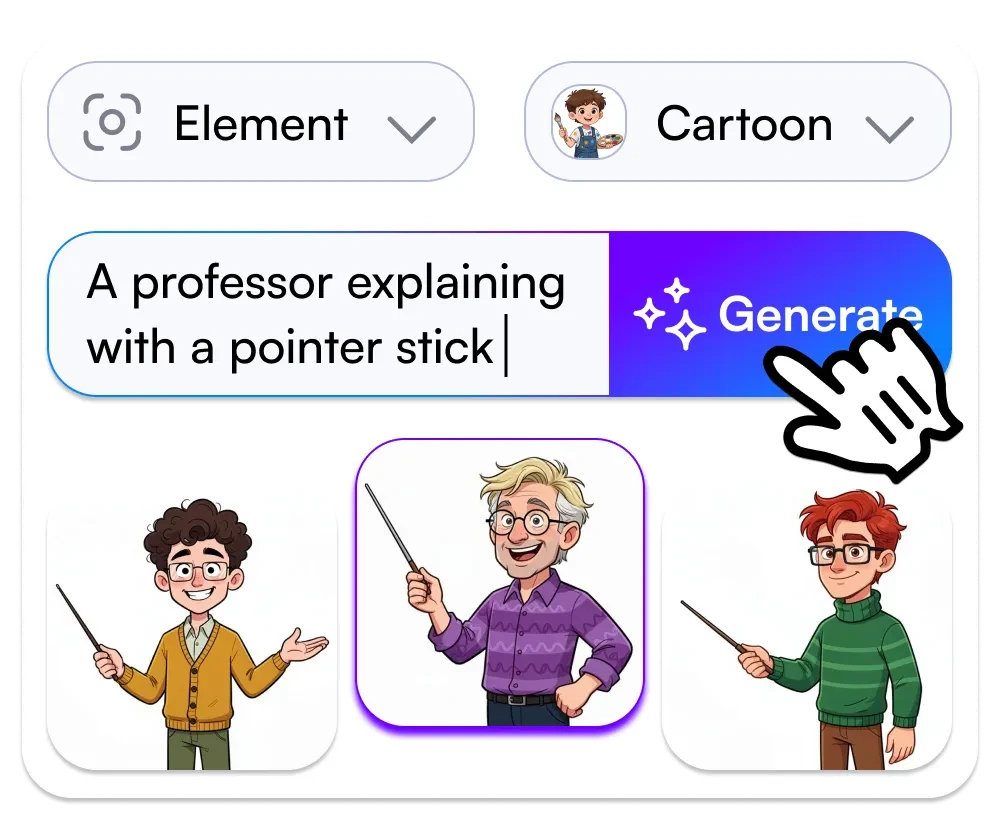
You start in a browser, with nothing to download. A new project opens with a prompt box. Type a line that describes the process or idea you want to show, and the engine proposes the characters, props and background for that moment. From there you divide the idea into scenes, which the seller calls slides. Each slide gets its own drawing, a hand style, an animation type and a timing, and slide transitions join the scenes together.
Sound comes next. You can generate a voiceover, upload your own narration or add background music. The last step is export. Export comes in four screen shapes, 16:9, 9:16, 4:5 and square, as the seller lists them. One project can be cut for a website, a vertical story, a feed and a square post without redrawing the scenes.
Read as a whole, the workflow is short and linear. The slow part is the script, and on Standard the tool does not write it for you. AI Wizard, the script generator, is listed only on Agency. Plan to spend your effort on the words before you open the editor.
Plans and prices as the seller lists them
The official page lists three monthly plans and says you can cancel anytime. Standard is $47 a month, Pro is $67 a month and Agency is $127 a month. All three are billed monthly.
- Standard, $47 a month. 150 AI credits, the drag-and-drop editor, picture-to-doodle, a background remover, 1080p HD export, six animation types and 1,000+ built-in doodle elements.
- Pro, $67 a month. Everything in Standard, plus 3,000+ PRO doodle elements and characters, 2K and 4K export, custom font uploads, the commercial license the seller lists on this plan, VIP support and 20 background music tracks listed under Pro.
- Agency, $127 a month. Everything in Pro, plus AI Wizard, InMotion for your own videos and AI Voices with six voices in 30+ languages.
The order page is the final reference. It shows the plan and price you will be charged, so read it before you enter any details.
What our evidence covers
We did not buy a plan or run a paid project for this review. Everything in this section rests on the seller’s pages, its terms and its refund policy, as they read when we checked them. You should read that as a limit on our view. We cannot tell you how the output looks at its best, or how long a finished explainer takes once you know the tool well. That gap is why evidence is our lowest category, at 6.4 out of 10.
Where it falls short
Credits set the refund limit. The Standard plan lists 150 AI credits. The seller says credits are usage units and that the cost per action may change. A heavy session with a long run of generated characters can use a large share of the allowance quickly.
Billing repeats monthly. The seller says every plan renews until you cancel. A quiet month still carries a charge unless you have already cancelled, so set a reminder before each renewal.
There is no free version. The seller says it does not offer free versions. Your first payment is also your first look at the editor, so plan the first project before you pay.
AI output needs checking. The seller advises that output be reviewed before publication. Names, figures and captions can be wrong even when a scene looks finished, and a viewer who spots one will trust the rest less.
Your material leaves your device. Your prompts, files and projects go to the seller and to outside AI vendors for processing. The terms also warn that generated material might not be eligible for exclusive copyright, so you should not count on owning every frame the way you own a hand-drawn original.
The refund rule in practice
The guarantee runs for 60 days. The seller’s policy says a refund is not available if more than half of the AI credits included with the plan have been used. On Standard, that means going past 75 of the 150 credits. If you want the refund option to stay open while you weigh the fit, use credits in a measured way and stop generating while a refund request is being reviewed.
To ask for a refund, write to help.instadoodle.com with the subject Refund Request. Include your account email, the purchase date and your order number. Cancelling a subscription is a separate step, so ask for both if you want both. The policy also says renewal payments and top-ups do not start a fresh guarantee period, so the first purchase is the one that counts.
Our score, category by category
Our score for it is 7.6 on a 10-point scale. That figure comes from our reading of the seller’s pages, terms and refund policy, not from buyers, and it cannot predict the videos you would make. The six categories are: what’s included 7.6, evidence 6.4, transparency 7.2, value 7.6, guarantee 9.6 and ordering 7.2.
The guarantee scores highest because the refund route is written down in specific terms. Evidence scores lowest because we could verify only the seller’s own claims. Transparency and ordering sit in the middle. The plan prices are plain on the page, but the order screen has the final word on what you pay.
Who should buy it, and who should not
InstaDoodle suits a person who makes explainer, training or lesson videos in a browser and accepts monthly billing. Standard is the place to learn the workflow. Pro makes sense if you need 2K or 4K export or the commercial license line. Agency makes sense if you write scripts in bulk or publish in several languages.
It suits less well a project built on real footage, a long documentary or a client job that needs rights the plan does not state. Read the license wording before you take on paid client work, and do not assume a Standard video can be handed to a client.
Where to read next
If you want the feature tables in full, the what’s included page sets them out plan by plan. The benefits page covers the kinds of video the tool suits, and the safety page goes through data, rights, renewals and cancelling. Each page sticks to what the seller lists, and each one leaves the final price to the order page.
InstaDoodle Official Pricing
As listed on the official store · confirm at checkout
InstaDoodle Standard
$47
Per month, billed monthly
- 150 AI credits, the seller says
- DoodleAI engine, drag-and-drop editor and 1080p HD export
- Picture-to-doodle, plus an image editor with a background remover
- 6 animation types, 6 AI styles and 14+ templates
- 1,000+ built-in doodle elements and slide transitions, the seller lists
InstaDoodle Pro
$67
Per month, billed monthly
- Everything in Standard, the seller says
- 3,000+ PRO doodle elements and characters, the seller lists
- Export in 2K and 4K, and upload custom fonts
- COMMERCIAL LICENSE, as the seller lists it on this plan
- 20 background music tracks, listed by the seller under Pro
InstaDoodle Agency
$127
Per month, billed monthly
- Everything in Pro, the seller says
- AI Wizard: script generator and automatic project creation
- InMotion: upload your own videos, with transitions and 1,000+ animated elements
- AI Voices: 6 voices in 30+ languages, the seller says
- Agency and team rights only where the order page expressly includes them
Plans are billed monthly. The order page shows the exact plan and price, and the checkout shows local currency and any tax, so the final amount can differ. Refunds: A 60-day money-back guarantee. The seller's policy says a refund is not available if more than half of the AI credits included with the plan have been used. Request it through help.instadoodle.com with the subject Refund Request, with your account email, purchase date and order number. Keep your confirmation email..
Frequently asked questions
Is InstaDoodle a good buy?
It suits someone who makes explainer or training videos and wants a browser tool. Our editorial score is 7.6 out of 10; the points to know are the credit rule, the limited evidence we could check and the monthly billing. The guarantee is clear and written down.
What do you actually get?
A cloud web app with the DoodleAI engine, an editor, animation types, slide transitions, voiceover and background music tools, and export options. The exact set depends on the plan you choose, as the seller lists it.
How much does InstaDoodle cost?
The official page lists Standard at $47 a month, Pro at $67 a month and Agency at $127 a month, billed monthly. The order page shows the exact plan and price before you pay.
Is there a refund?
Yes, there is a 60-day refund window. Under the seller's policy, the route closes once more than half of the plan's AI credits are spent. Send the request to help.instadoodle.com under the subject Refund Request.
Can I use the videos for paid client work?
The seller lists a commercial licence on the Pro plan and says agency, team and commercial rights apply only where your purchase expressly includes them. Read the licence wording on the order page before you start client work.
InstaDoodle review · InstaDoodle · InstaDoodle verdict · InstaDoodle pros and cons · is InstaDoodle worth it · InstaDoodle plans review